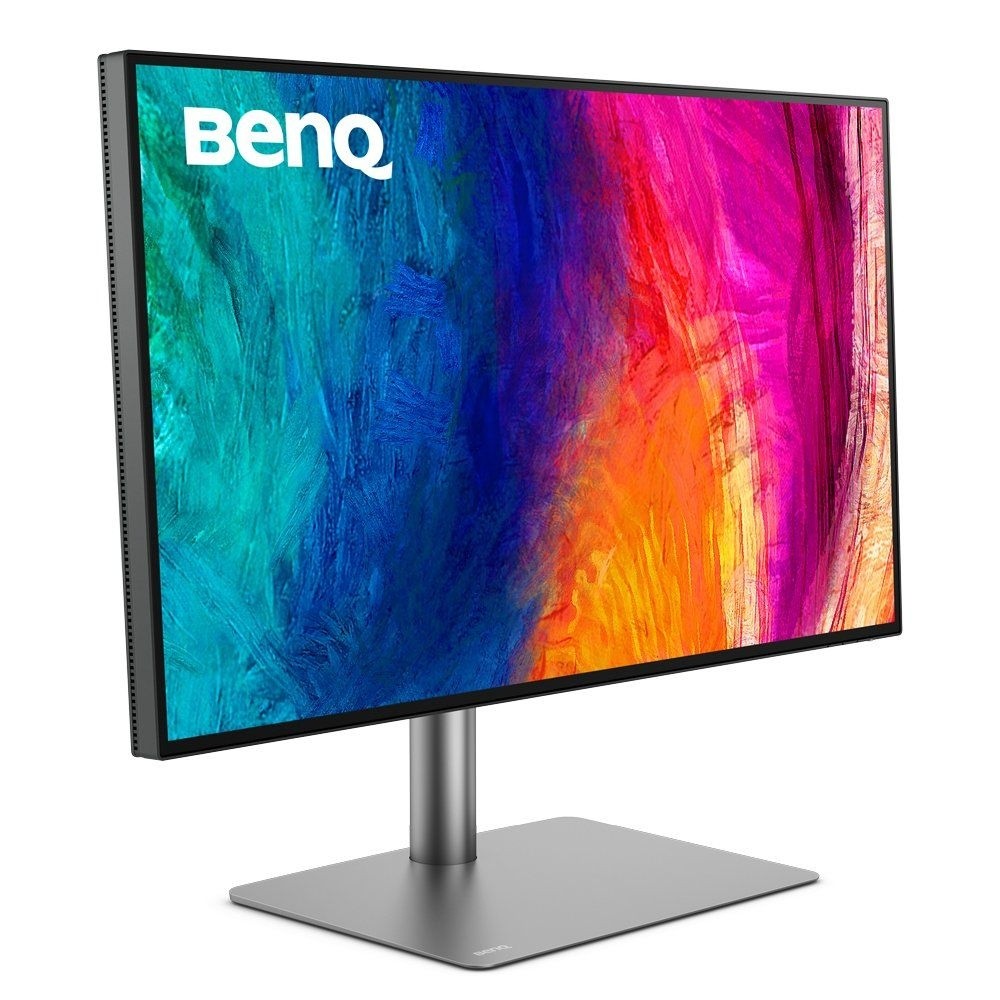
BenQ RD280U Programming Monitor
A 28.2-inch 4K+ monitor in 3:2 format built for programmers: coding colour modes, a MoonHalo bias light, built-in KVM and 90W USB-C.
Specifications
| Panel | 28.2-inch IPS, Nano Matte coating |
|---|---|
| Resolution | 3840 x 2560 (3:2, 164 ppi) |
| Refresh Rate | 60 Hz (DP, USB-C) |
| Brightness | 350 nit typical, 400 nit HDR peak |
| HDR | HDR10, VESA DisplayHDR 400 |
| Contrast | 1200:1 native |
| Color | 95% P3, 1.07 billion colors |
| Response Time | 5 ms GtG |
| Ports | HDMI 2.0, DisplayPort 1.4, USB-C 90W PD with DP Alt Mode and MST out, 3x USB-A + 1x USB-C downstream (5 Gbps), USB-B upstream |
| KVM | Built-in |
| Backlight | MoonHalo bias light |
| Stand | Height 110 mm, tilt -5 to 20 deg, swivel +/-15 deg, no pivot |
| VESA | 100 x 100 mm |
| Weight | 10.4 kg with base |
The BenQ RD280U is a monitor that says who it is for in its own name: BenQ markets the RD series as programming monitors, and the RD280U is the 28.2-inch model with a rare 3:2 aspect ratio and a 3840 x 2560 resolution that BenQ calls 4K+. The idea behind the shape is simple. A taller screen shows more lines of code before you have to scroll, and BenQ's own slogan for it is "achieve more and scroll less". This page goes through the specification as BenQ publishes it, explains the coding-specific features in plain language, points out what the monitor does not do and helps you decide whether a monitor with this focus fits a developer's, writer's or spreadsheet user's desk. We did not find a price on the pages we read, so we leave it out.
Panel, resolution and the 3:2 shape
The RD280U uses a 28.2-inch IPS panel with LED backlighting and a maximum resolution of 3840 x 2560 pixels, which works out to 164 pixels per inch. BenQ lists 1.07 billion colours, a 178 by 178 degree viewing angle, a 5 ms grey-to-grey response time and a native contrast ratio of 1200:1. The refresh rate is 60 Hz over DisplayPort and USB-C, and BenQ does not state a figure for HDMI. The screen coating is what BenQ calls Nano Matte, a low-reflection surface meant to reduce distractions. A 3:2 panel is closer to a sheet of paper than a 16:9 widescreen, and that is the key point: if your day is code, documents, long web pages or spreadsheets, the extra height is useful, whereas for films and games the black bars at the top and bottom would be a nuisance. If you are still deciding which size and resolution make sense on your desk, our monitor size and resolution guide is a good companion to this page.
Brightness, HDR and colour
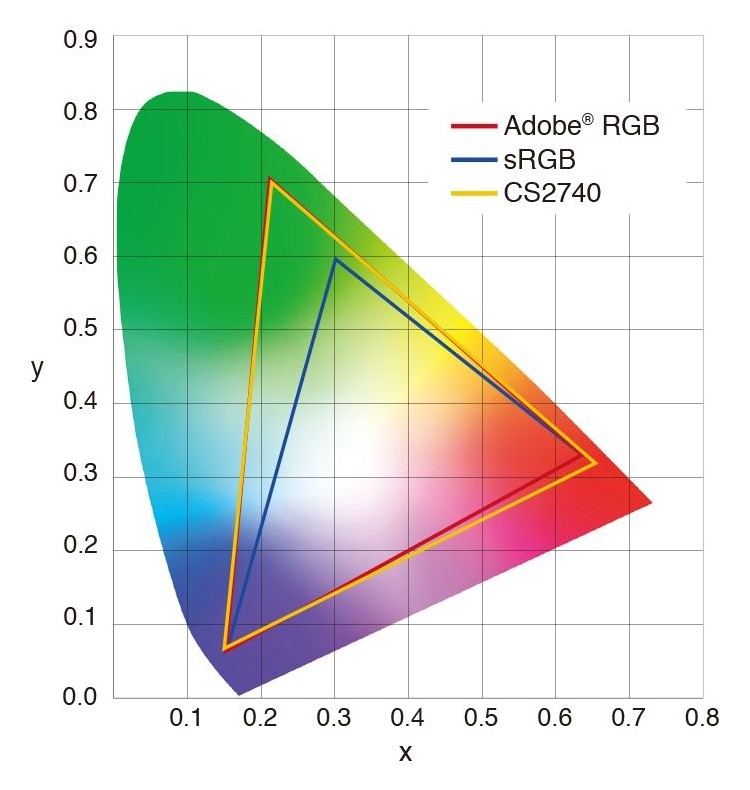
Typical brightness is 350 nits, with a peak of 400 nits in HDR. BenQ lists HDR10 and VESA DisplayHDR 400 support and 95% coverage of the P3 colour space. The available colour modes are sRGB, HDR, M-book, User, ePaper, Cinema, and two coding modes, one with a dark theme and one with a light theme. Colour temperature can be set to bluish, normal, reddish or user-defined, and gamma runs from 1.8 to 2.6. HDCP 2.2 is supported. These are numbers of a good office monitor rather than a gaming display, and that is consistent with the product's purpose. If colour accuracy matters to you for design or photo work, our colour accuracy and calibration guide explains what to look for beyond a coverage percentage.
What "coding mode" actually means
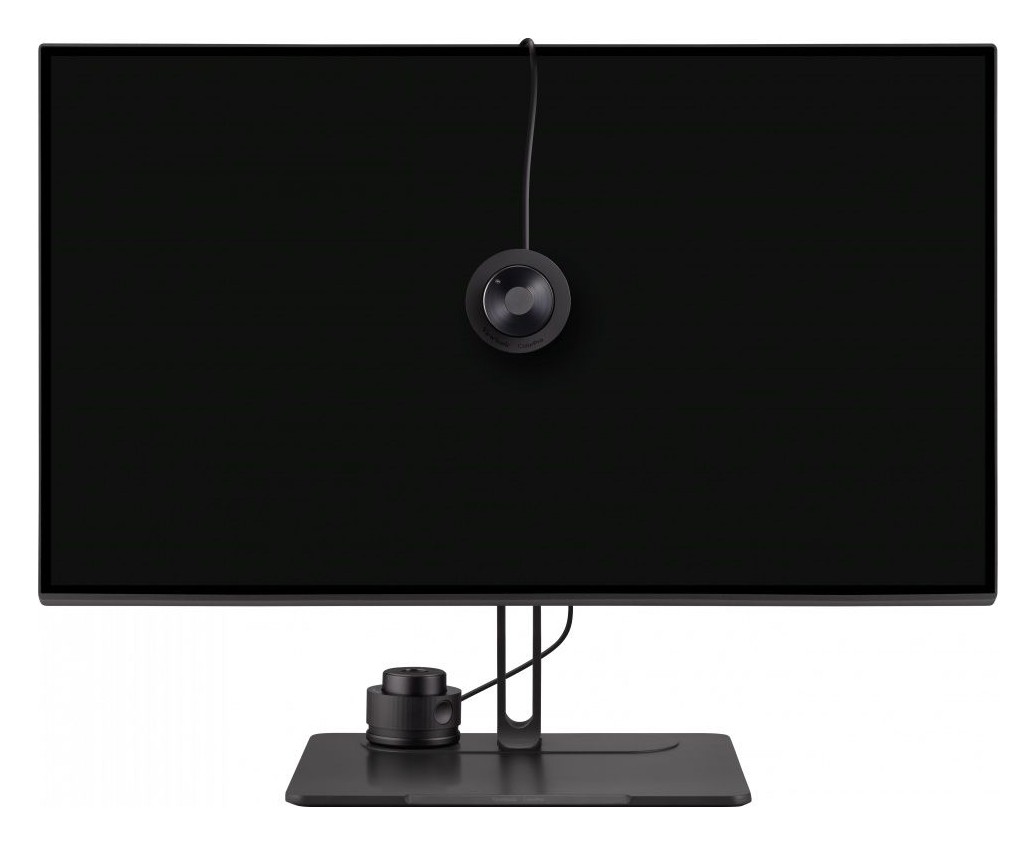
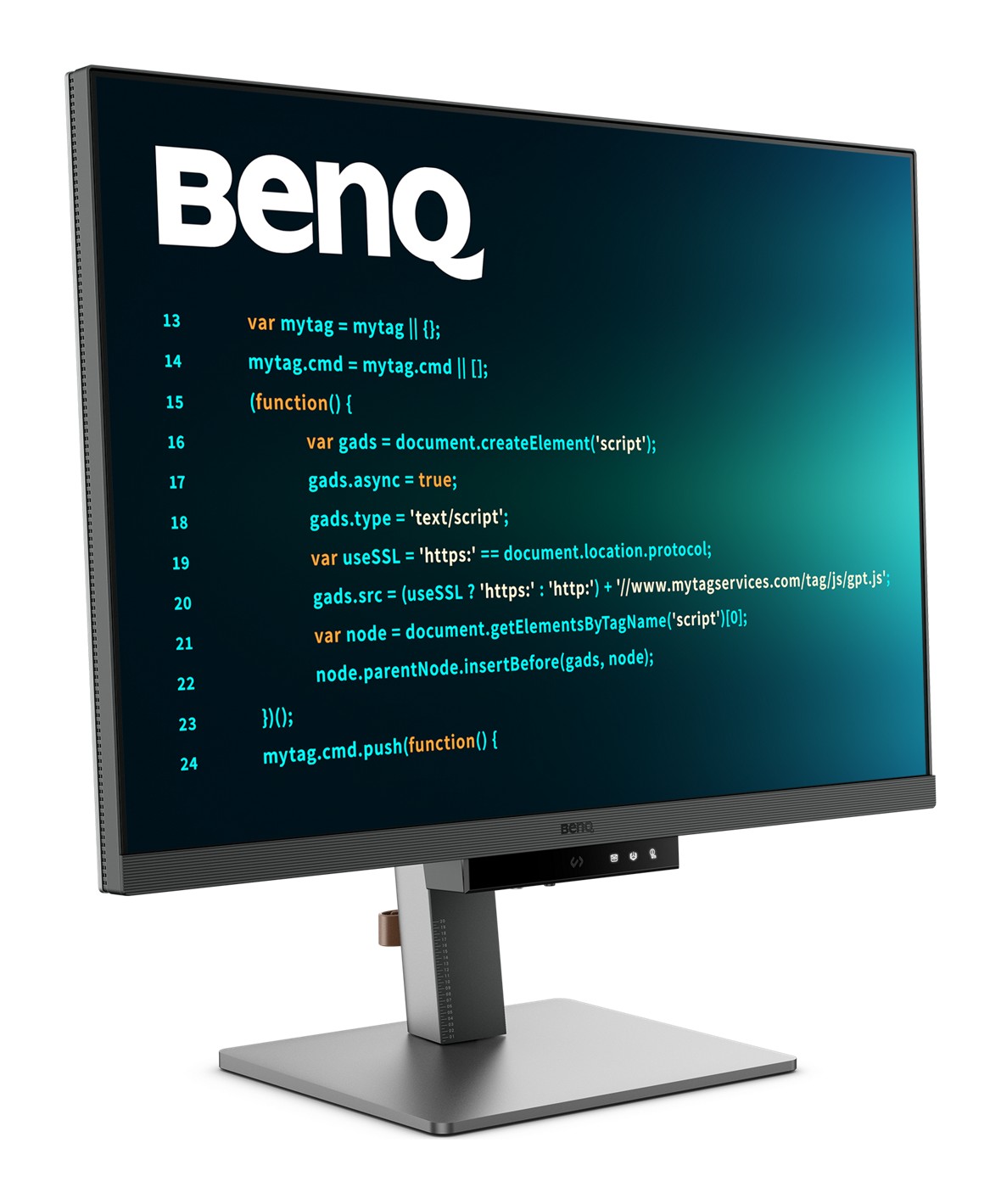
The product's identity rests on its coding modes, so it is worth describing them exactly as BenQ does. The company says the advanced coding modes deliver crystal-clear fonts and better code differentiation, reducing eye strain during long sessions. There is a dark theme and a light theme, so you can match the mode to the way your editor looks, and you can quickly adjust brightness, sharpness and contrast. On the monitor there is a function bar with a Coding HotKey in the centre; you remove a protective sticker from the bar first, then press the hotkey to switch quickly between colour modes. BenQ's FAQ also describes how to make the function bar's LED indicator stay on for ten seconds or always: go to Menu, Coding Booster, Function Bar, LED Indicator. None of this is magic, but it saves you a trip into the on-screen menu each time you switch between code and other work.
MoonHalo and eye care
MoonHalo is a built-in bias light: BenQ describes it as a blend of immersive illumination and comforting ambience, with adjustable colour temperature, brightness and light modes, plus auto dimming powered by Brightness Intelligence Gen2 (B.I. Gen2). B.I. Gen2 detects the brightness of your surroundings and adjusts the screen automatically, and you can still fine-tune it by hand. The monitor also has Night Hours Protection, which BenQ says was created for programmers who work at night in low light and which uses a minimum-brightness technique as an eye-care filter. The eye-care list is long: flicker-free, Low Blue Light Plus (which includes a circadian mode that shifts colour temperature through the day), colour-weakness support, an ePaper mode and an eye reminder. TÜV Rheinland certifications listed are Eye Comfort 2.0, EyeSafe 2.0, flicker-free, low blue light in both hardware and software, and reflection free. If you spend long hours at a screen, our ergonomic home office guide covers the posture side of the same story.
Display Pilot 2 software
BenQ supplies Display Pilot 2 (and Display QuickIt) for controlling the monitor from the desktop. Display Pilot 2 lets you control MoonHalo, define shortcuts, use Desktop Partition, assign modes to applications, dim the screen through software and switch on Circadian Mode. Application Mode stores your preferred colour mode for each application, so your editor can open in a coding mode while a design tool opens in another. Desktop Partition lets you drag a window into preset or custom layouts rather than resizing by hand. The shortcut feature remembers two sets of copied content at once. The monitor's firmware can also be updated over USB.
Connections, KVM and daisy chaining
The RD280U has one HDMI 2.0 input, one DisplayPort 1.4 input and one USB-C port that carries data, video, audio and up to 90 W of power delivery, which is enough to charge many laptops with a single cable. A USB-C output supports daisy chaining through Multi-Stream Transport. For peripherals there is a USB Type-B upstream port (USB 3.2 Gen 1, 5 Gbps), three Type-A downstream ports (5 Gbps, 4.5 W charging) and one Type-C downstream port (5 Gbps, 7.5 W charging). A built-in KVM switch lets one keyboard and mouse control two computers connected to the monitor, and it lets you switch the video source.
BenQ includes a caution about Macs that is worth repeating. Mac computers only support daisy chaining over Thunderbolt, not over HDMI or normal USB ports, and a Mac with an M1 or M2 chip can only connect a single external display. Supported resolutions vary in a daisy chain, so BenQ points you to the user manual. For a broader look at combining several screens and computers, our multi-monitor and KVM switch guide explains the trade-offs.
Ergonomics and dimensions
The stand adjusts in height by 110 mm, tilts from -5 to 20 degrees and swivels 15 degrees left and right. BenQ says plainly that the RD280U does not support pivot and suggests the RD280UA, the version with an Ergo Arm, for maximum flexibility. The monitor measures 610.4 mm wide and 244.5 mm deep, with a height between 474.3 and 587.3 mm on the stand, and it weighs 10.4 kg (7.5 kg without the base). A VESA 100 x 100 mm mount is supported. Built-in speakers are two 2 W units and there is a headphone jack.
Power and certifications
BenQ lists 34 W normal power consumption, 205 W maximum (which includes the power it can deliver over USB-C) and less than 0.5 W in sleep. The monitor is rated Energy Star 8.0 and EPEAT Bronze. The box contains a quick start guide, warranty card and safety instructions, and BenQ says the signal cables supplied may vary by region: HDMI 2.0, USB 3.2 and USB-C are listed.
How it compares with its siblings
BenQ's comparison table places the RD280U among four relatives. The RD280UG has the same 28.2-inch 3840 x 2560 panel but a 120 Hz refresh rate. The RD280UA matches the RD280U's screen but adds the Ergo Arm. The RD320U and RD320UA are 31.5-inch models at 3840 x 2160 and 60 Hz. All of them list Night Hours Protection, Nano Matte coating and 90 W power delivery. If you want to see how BenQ approaches an office monitor for creators, our page for the BenQ PD2725U and our PD2725U review show the neighbouring designer-oriented line.
Who should buy it
Buy the RD280U if your work is mostly text, code, documents or spreadsheets, if you like the idea of one cable to a laptop with 90 W of charging, and if you value eye-care features and a bias light for long or late sessions. Look elsewhere if you want a fast gaming panel, pivot, a wider contrast ratio or a price we could not confirm. For pure programming comfort, the combination of 3:2 height, a matte coating, a KVM switch and colour modes designed around code is unusual, and BenQ describes it clearly without overreaching.