ViewSonic ViewSonic VP2786-4K
A 27-inch 4K IPS colour-critical monitor with 100 percent Adobe RGB, true 10-bit colour, Fogra and Idealliance certification, a ColorPro Wheel with built-in calibrator and USB-C with 90 W charging.
Specifications
| Panel | 27-inch flat IPS, anti-glare 3H |
|---|---|
| Resolution | 3840 x 2160 (UHD), 60 Hz |
| Color Depth | True 10-bit, 1.07 billion colors |
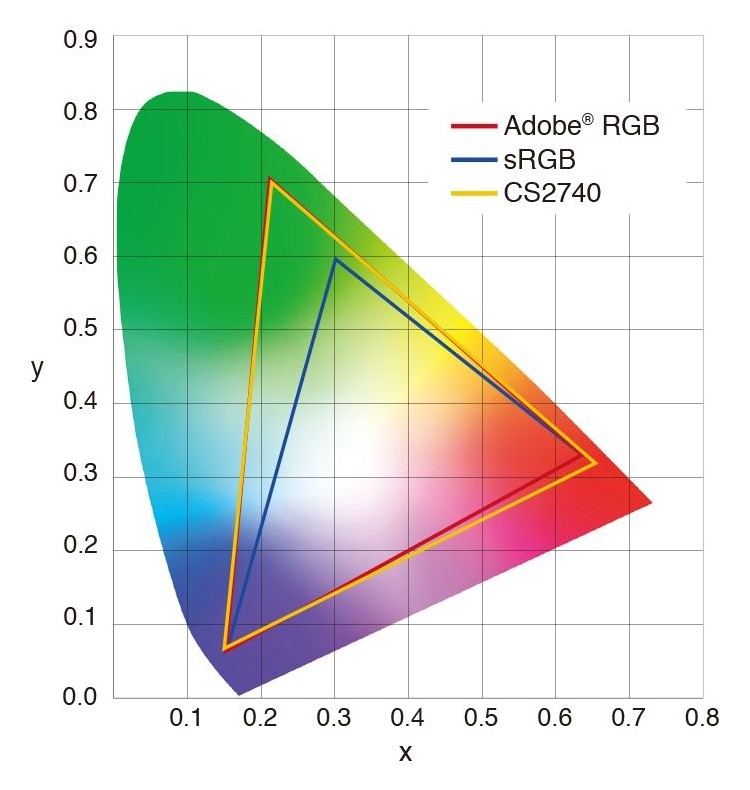
| Gamut (typ) | 100% Adobe RGB, 98% DCI-P3, 100% sRGB / Rec.709 |
| Brightness | 350 cd/m2 (typ) |
| Contrast | 1,300:1 static |
| HDR | HDR10 |
| Response | 5 ms GTG (typ) |
| Certifications | Fogra (Class A soft-proof), Idealliance |
| Calibration | Factory pre-calibrated with report; ColorPro Wheel with built-in sensor, Colorbration+ |
| Ports | 2x HDMI 2.1, 1x DisplayPort 1.4, USB-C (DP Alt Mode, 90 W), 4x USB 3.2 Type-A, USB-B, micro USB, 3.5 mm out |
| Ergonomics | Height 120 mm, tilt -3/21 deg, swivel 120 deg, pivot 90 deg, VESA 100 x 100 |
| Weight | 8.3 kg (4.9 kg without stand) |
| Power | 67 W typical, 70 W max |
The ViewSonic VP2786-4K is a 27-inch 4K IPS monitor for photographers, illustrators and print-minded designers. ViewSonic sells it as a colour-critical screen with 100 percent Adobe RGB coverage, true 10-bit colour, Fogra and Idealliance validation for soft-proofing, and a physical control called the ColorPro Wheel that carries a calibrator. It also has a magnetic hood, USB-C with 90 W charging and a built-in desk light. This guide comes from ViewSonic's product page and specification table. We have not calibrated or measured this monitor ourselves. ViewSonic does not publish a price on the page we read, so we do not give one, and where a claim is marketing we say so.
Who this monitor is built for
Most monitors in this category do one of two things: they are fast for games or they are accurate for photos. The VP2786-4K is squarely in the second group. Its case is made on colour gamut, calibration and print matching, and it runs at 60 Hz with a 5 ms typical grey-to-grey response time, which is normal for this kind of panel. If you edit photos, retouch illustrations, prepare files for print or watch your colour work move from screen to paper, keep reading. If you play fast games, look at our LG UltraGear 27GX790A instead. Our guide to monitor colour accuracy and calibration explains the terms used below in plain language.
Panel, resolution and colour numbers
The panel is a 27-inch flat IPS at 3840 by 2160, a 16:9 shape with a 0.155 mm pixel size, 178 degree viewing angles and an anti-glare hard-coated surface rated 3H. Brightness is 350 cd/m2 typical, static contrast 1,300 to 1, and dynamic contrast 20 million to 1, which is a marketing number and not one to buy on. HDR10 is supported. The colour figures are the reason to look at this monitor. ViewSonic lists 100 percent coverage of Adobe RGB (113 percent by size) and 98 percent coverage of DCI-P3 (112 percent by size), plus 100 percent sRGB, Rec. 709, EBU and SMPTE-C, all as typical values. It is a true 10-bit panel with 1.07 billion colours, and ViewSonic makes a good point about why that matters: moving to a wider gamut like Adobe RGB without also moving to 10-bit colour depth can leave visible steps in smooth gradients. Note that the page describes Adobe RGB as a colour space about 35 percent larger than sRGB, which matches the coverage numbers above only loosely, since those are given as percent of size and coverage separately. The takeaway is simply that the monitor covers the full Adobe RGB range and most of DCI-P3.
Fogra and Idealliance: what they mean here
ViewSonic says the monitor is recognised by Fogra as a Class A soft-proof monitor and is Idealliance Method certified. The idea is that a photograph or design produced on it should match the final printed piece closely. Certifications like these belong to the print industry, and they are a strong signal for people who proof colour on screen before sending work to a printer. They are not a guarantee that any single unit will match your printer, so for print work you will still want to calibrate regularly. The monitor ships with a factory pre-calibration and a report for DCI-P3, sRGB, Rec. 709 and uniformity, and ViewSonic's uniformity correction is meant to balance luminance across the screen.
ColorPro Wheel, Sense and Integrate
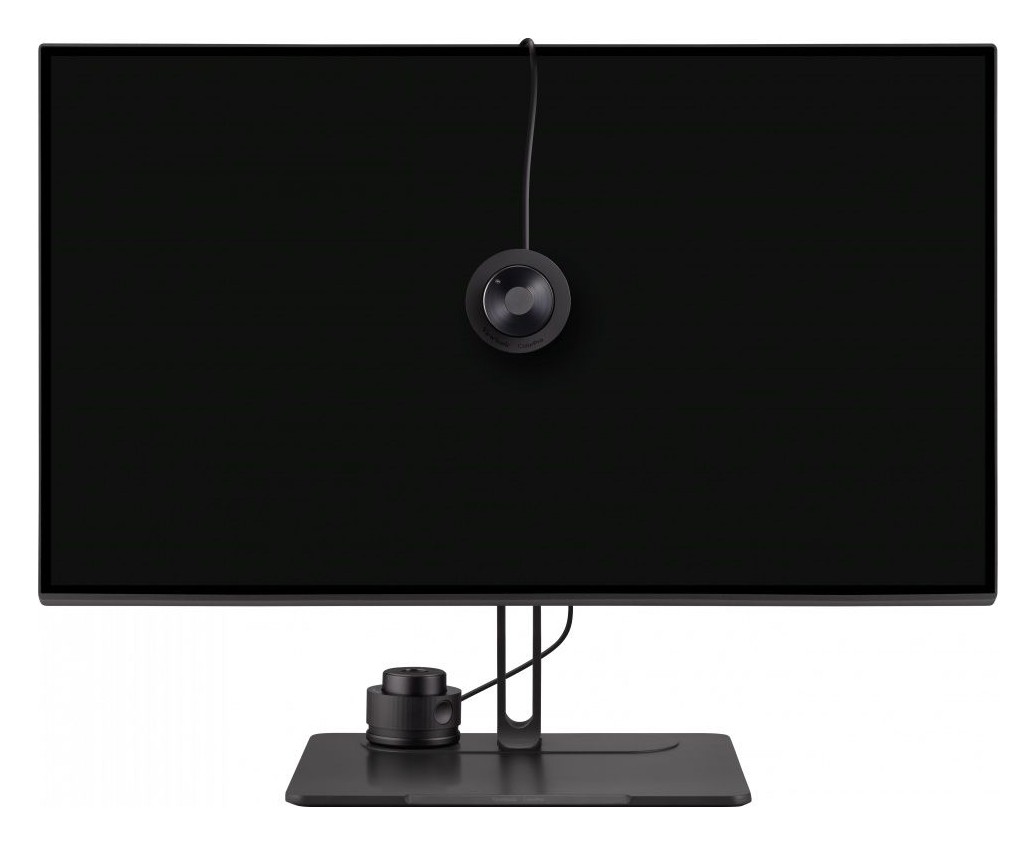
The ColorPro Wheel is the feature people remember. It is a physical dial on the desk with 60 ridges, ViewSonic says, and it does three jobs. It adjusts brightness, contrast and other on-screen display settings without bezel buttons. It houses a lens-based colour sensor that works with ViewSonic's Colorbration Plus software to keep the monitor consistent over time. And it acts as a controller with ColorPro Integrate, which maps the wheel to sliders and brush parameters in compatible Adobe Photoshop and Capture One. ColorPro Sense adds a Pantone link: use the wheel to identify a Pantone colour, generate a matching palette and share it with a team. The page notes that Integrate currently supports Photoshop and Capture One, and that Adobe support can change, so check that your version works before you count on it.
The hood and the desk light
A detachable hood attaches with a groove and magnets and blocks ambient light and glare. It is included in the box. The stand also carries a built-in light, called Backstage Light by ViewSonic, that lights the workspace in white, warm white or yellow, meant for use with the room lights low. For anyone who has taped cardboard around a monitor to see shadows better, a proper hood is a real convenience. The trade-off is that a hood makes the monitor deeper on the desk and is another thing to store when you do not need it.
Connections, USB-C and the desk
The ports are two HDMI 2.1, one DisplayPort 1.4 and one USB-C that carries video as DisplayPort Alt Mode and charges a laptop with up to 90 W. Add four USB 3.2 Type-A downstream ports, a USB Type-B upstream, a micro USB port and a 3.5 mm audio out. There are two 3 W speakers. The USB-C connection lets a single cable handle video, data and power for a laptop, which is the convenience many people want from a modern monitor. If you dock a laptop, our docking station guide on how many ports you need may help. The input frequency table shows a vertical range of 24 to 120 Hz, but ViewSonic lists the refresh rate as 60 Hz, so treat 60 Hz as the panel's real target.
Ergonomics and size
The stand adjusts 120 mm in height, tilts from minus 3 to 21 degrees, swivels 120 degrees and pivots 90 degrees either way, and it has gradation marks so you can return to a favourite position. VESA 100 by 100 is supported if you prefer an arm, and our monitor arms and standing desks guide covers that option. The monitor measures 613 by 449 to 569 by 232 mm with its stand, weighs 8.3 kg and 4.9 kg without the stand. Power draw is 67 W typical and 70 W maximum, with 0.5 W on standby, and the panel is flicker-free with a software low blue light mode. There is a Kensington lock slot.
Before you buy
- Check the price and the warranty for your market: ViewSonic notes warranty and specifications can differ by country.
- Confirm your editing software works with the ColorPro Wheel, particularly if you use Photoshop or Capture One.
- Remember it is 60 Hz, fine for editing and not built for fast games.
- If you print, keep calibrating on a schedule; the certification is not a substitute.
- Compare with other colour-focused screens like the EIZO ColorEdge CG2700X, the ASUS ProArt PA279CRV or the BenQ PD2725U, all in our catalogue.
In short, the VP2786-4K is a serious, well-equipped colour monitor whose physical wheel, hood and print certifications set it apart from a normal 4K screen. It asks for a 60 Hz compromise and a bit of reading about software compatibility, and rewards you with wide-gamut, pre-calibrated, print-oriented colour. As always, check the current price and return policy before you decide.