ViewSonic ViewSonic VX2758A-2K-PRO-2
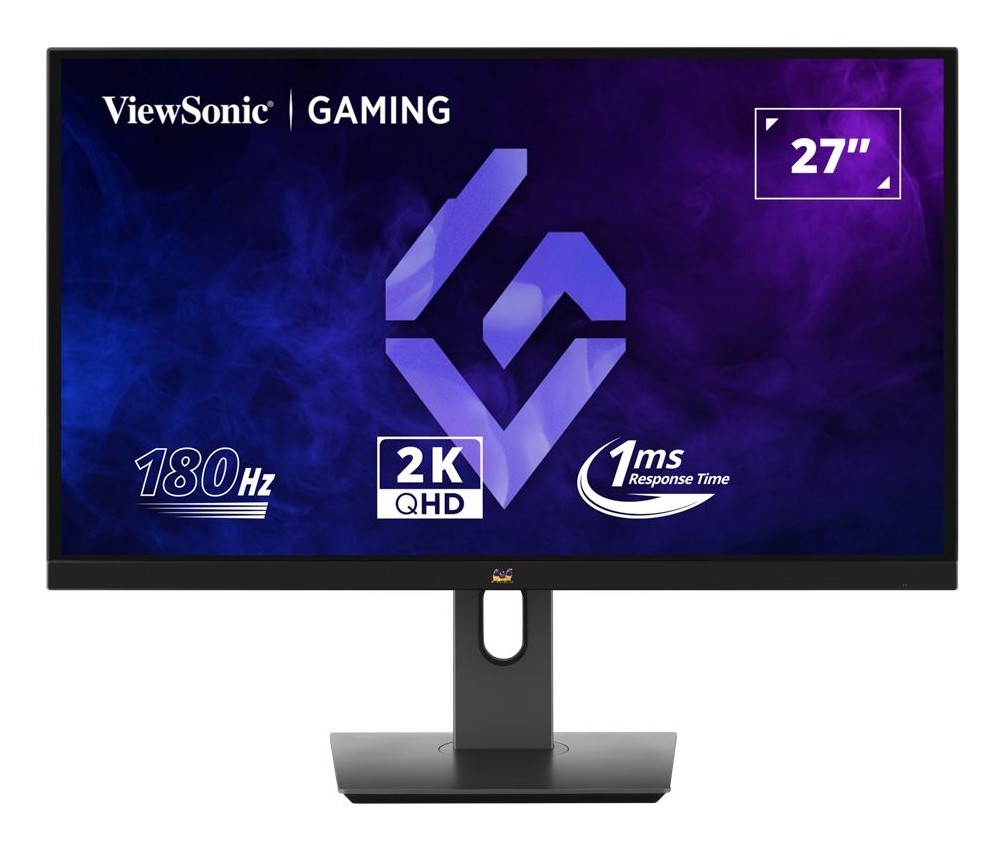
A 27-inch flat 2560 x 1440 IPS gaming monitor at 180 Hz with 1 ms MPRT, FreeSync, HDR10, 95 percent DCI-P3 coverage and a fully adjustable stand.
Specifications
| Panel | 27-inch flat IPS (SuperClear), anti-glare |
|---|---|
| Resolution | 2560 x 1440 (QHD) |
| Refresh Rate | 180 Hz (DisplayPort 1.4), FreeSync |
| Response Time | 1 ms MPRT |
| Brightness | 300 cd/m2 (typ) |
| HDR | HDR10 |
| Color | 95% DCI-P3, 97% NTSC, 8-bit true, 16.7M colors |
| Contrast | 1,000:1 static |
| Ports | 1x DisplayPort 1.4 (48-180 Hz), 2x HDMI (listed as 2.0 in the feature text and 2.1 in the spec table; 48-144 Hz), 3.5 mm audio out |
| Ergonomics | Height 150 mm, tilt -5/20 deg, swivel 90 deg, pivot 90 deg |
| VESA | 100 x 100 mm |
| Power | 39 W typical, 42 W max |
The ViewSonic VX2758A-2K-PRO-2 is a value-minded 27-inch gaming monitor. It uses a flat IPS panel at 2560 x 1440, runs at 180 Hz and lists a 1 ms MPRT response time, with FreeSync, HDR10, three video inputs and a stand that adjusts in every direction. ViewSonic sells it as the sort of monitor that suits fast-paced games, entertainment and light creative work without a premium price. This guide is based on ViewSonic's own product page and specification table. ViewSonic lists no price there, so we quote none, and we have not tested the monitor ourselves. Where the page's numbers clash, we say which we believe.
Panel, resolution and size
The display is 27 inches, flat, using ViewSonic's SuperClear IPS panel technology with an anti-glare surface and a 3H hard coating. The resolution is 2560 x 1440, called QHD or 2K by ViewSonic, in a 16:9 shape, and ViewSonic says that is twice the clarity of a standard 1080p screen. The pixel size is 0.233 mm. On a 27-inch panel, that is the size where 1440p looks sharp without forcing you to scale the interface, a point we explain in our guide to monitor size and resolution. Viewing angles are listed at 178 degrees both horizontally and vertically, and the backlight is rated for a minimum of 30,000 hours.
Refresh rate and response time
ViewSonic advertises a 180 Hz refresh rate and a 1 ms response time, measured as MPRT (moving picture response time), not the grey-to-grey figure that many makers quote. That difference matters because MPRT and grey-to-grey are different measurements, so 1 ms MPRT is not the same claim as 1 ms GtG. AMD FreeSync is listed as the variable refresh technology, to reduce tearing and stutter. If you are unsure what 144, 165 or 240 Hz mean in practice, our article on monitor refresh rates covers it.
The spec sheet has a detail buried in its input frequency table that changes what you can expect from each port. The vertical frequency for the DisplayPort 1.4 input runs from 48 to 180 Hz, while the HDMI inputs are listed from 48 to 144 Hz. In other words, 180 Hz is a DisplayPort figure. If you connect a console or a PC over HDMI you should plan for up to 144 Hz. ViewSonic also says the monitor works with the PS5 and Xbox Series X and S and links to instructions for enabling 120 Hz output, and it says you can switch between a PC and a console over the different inputs.
Which refresh rate is it, 170 or 180?
The page carries several excerpts from third-party reviews. Two of them describe the VX2758A-2K-PRO with a 170 Hz refresh rate. The monitor on this page has the suffix -2 and is listed at 180 Hz, so we read those excerpts as being about the earlier model, not this one. If you are comparing reviews, check that the review is of the -2 version before you rely on its numbers.
Colour, brightness and HDR
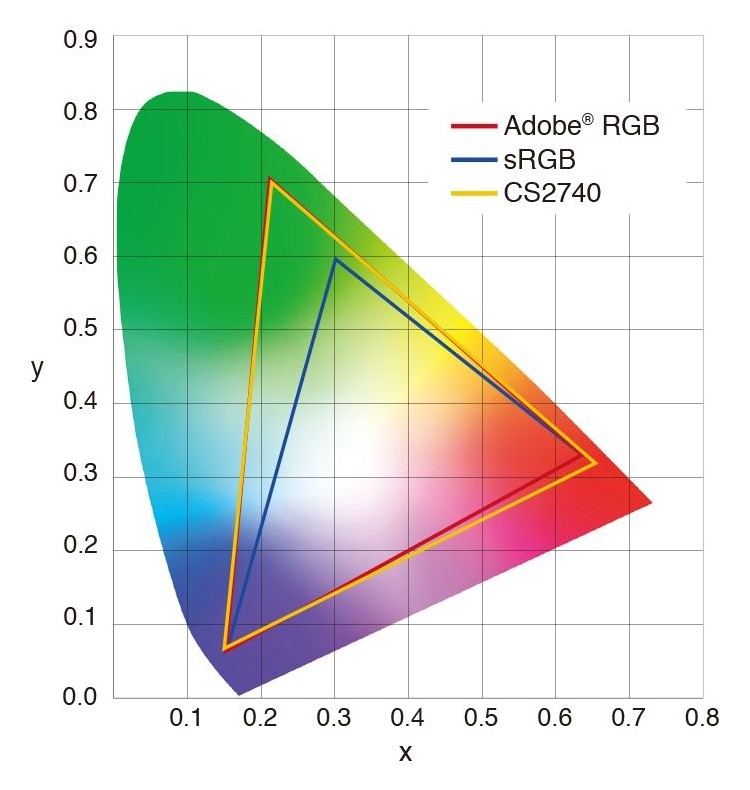
The page lists 300 cd/m² typical brightness, a static contrast ratio of 1,000:1 and a dynamic contrast ratio of 80 million to 1, with 8-bit true colour and 16.7 million colours. Colour gamut coverage is 95 percent of DCI-P3, 97 percent of NTSC by size and 137 percent of sRGB by size. Those percentages are worth reading carefully: 137 percent of sRGB by size is a measure of gamut area and does not mean the monitor covers sRGB accurately out of the box, and ViewSonic does not publish a factory calibration report on this page. For colour-critical work read our guide to monitor colour accuracy and calibration. HDR10 is listed, but at 300 cd/m² it will not deliver the punch of a monitor with a high-brightness or local-dimming panel, so treat HDR10 here as a compatibility label rather than a highlight. ViewSonic's ViewMode presets tune the image for gaming, entertainment and creative editing.
Eye comfort
ViewSonic's EyeProTech combines flicker-free operation with a blue light filter. The specification table describes the low blue light feature as a software solution, meaning it is implemented in the on-screen menu rather than through a special panel. Flicker-free is listed as yes. Those are helpful features for long sessions, and you should also think about brightness and distance, which our guide to ergonomic monitor setups covers.
Ports and the HDMI version puzzle
The monitor has one DisplayPort 1.4 input, two HDMI inputs and a 3.5 mm audio output. The page contradicts itself about the HDMI version. The feature text says two HDMI 2.0 ports and one DisplayPort 1.4 input; the specification table lists HDMI 2.1 with a count of two. The input frequency table says HDMI (v2.1) from 31 to 215 kHz horizontally and 48 to 144 Hz vertically. Because the frequency figures are the most specific, and they cap HDMI at 144 Hz, our reading is that the ports may carry the 2.1 label without offering more than 144 Hz at QHD. If the version matters to your console, check with ViewSonic. There is no USB hub, USB-C input or KVM, so this is a plain three-input monitor. It supports Windows 10 and 11 (certified) and macOS (tested), with a maximum resolution of 2560 x 1440 on both PC and Mac.
Stand, mounting and controls
The stand is a proper ergonomic one. Height adjusts by 150 mm, tilt runs from minus 5 to 20 degrees, swivel is 90 degrees and the panel pivots 90 degrees to either side into portrait. There is a cable-organisation feature, a Kensington lock slot and a 100 x 100 mm VESA mount pattern, so a monitor arm is possible; see our guide on monitor arms and standing desks if you go that way. Five physical controls (up, right, down, left and power) operate the on-screen display, which offers input select, audio adjust, ViewMode, colour adjust, manual image adjust and setup menus. Physical size is 614 x 424 to 574 x 214 mm with the stand, or 614 x 366 x 47 mm without it, and the monitor weighs 6.3 kg with the stand and 4.5 kg without.
Power
Power consumption is 39 W typical and 42 W maximum, 32 W in the optimised eco mode, 24 W in the conserve eco mode and 0.5 W on standby, from an internal power supply on 100 to 240 V. The box contains the monitor, a power cord, a DisplayPort 1.4 cable and a quick start guide; there is no HDMI cable in the list. Warranty terms vary by market according to the page, so ask your retailer.
Who should buy it
This is a straightforward pick for someone who wants a sharp, fast 27-inch 1440p IPS at a sensible price, plans to use DisplayPort with a PC, and does not need USB-C, a hub or premium HDR. It is not for colour professionals, and it is not the monitor to buy for an OLED-style contrast. If you want a step up, look at the LG 27GP850-B or the BenQ MOBIUZ EX2710U, and browse all options in the monitor category.