27-Inch QHD or 32-Inch 4K: Choosing the Right Monitor Size and Resolution
Monitor shopping used to mostly be about which panel technology to buy; now it's just as often about which size-and-resolution combination actually fits a given desk and a given pair of eyes. The two dominant answers right now are 27-inch QHD (2560x1440) and 32-inch 4K (3840x2160), and the difference between them is bigger than the resolution numbers alone suggest, because pixel density and viewing distance interact in ways that aren't obvious until you've actually sat in front of both.
Pixel density: the number that actually matters
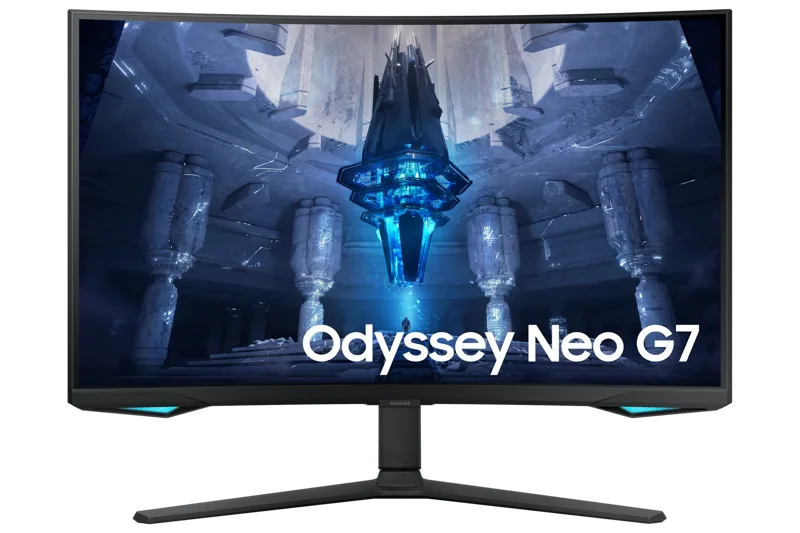
A 27-inch QHD panel like the LG 27GP850-B works out to roughly 109 pixels per inch, while a 32-inch 4K panel like the Samsung Odyssey Neo G7 32" lands at almost exactly the same density, around 138 PPI once you account for the larger diagonal — which is the whole point of pairing 4K with a 32-inch panel specifically rather than a 27-inch one. A 27-inch 4K panel, like the BenQ PD2725U, pushes density up to roughly 163 PPI, noticeably sharper still but also more likely to need OS-level display scaling to keep text a comfortable size at normal viewing distances, particularly on Windows where scaling handling has historically been less consistent than on macOS.
Desk depth and viewing distance
Size decisions are really viewing-distance decisions in disguise. A 32-inch panel at a typical 60–70cm desk viewing distance fills significantly more of your field of view than a 27-inch panel at the same distance, which is either an immersive upgrade or an eye-straining mistake depending entirely on how far back your desk actually lets you sit. Cramped desks, or setups where the monitor sits close to a wall behind a keyboard tray, often work better with a 27-inch panel specifically because there simply isn't room to sit far enough back for a 32-inch screen to feel comfortable rather than overwhelming.
4K for productivity: is it worth the GPU cost?
4K genuinely earns its keep for productivity work — more usable desktop real estate for side-by-side documents, sharper text for long reading sessions, and enough resolution headroom that a 100% zoom level in a browser or PDF reader still looks crisp. The Dell UltraSharp U2723QE, while technically a 27-inch 4K panel rather than 32-inch, is a good example of this productivity-first calculus: it pairs 4K sharpness with a 60Hz refresh rate because gaming performance was never the design goal, and running 4K at 60Hz asks far less of a GPU than running the same resolution at a high refresh rate would. A mid-range graphics card that would struggle to sustain a high frame rate at 4K in a demanding game handles a 60Hz productivity desktop without breaking a sweat, since the demand profile of scrolling a document or compiling code is nothing like the demand profile of rendering a fast-moving 3D scene.
Text scaling and operating system quirks
Anyone moving to a higher pixel density for the first time should budget a little setup time for display scaling, because the raw pixel count alone doesn't tell the whole story. At native resolution and no scaling, a 27-inch 4K panel renders interface text and icons roughly two-thirds the size they'd appear on a 27-inch QHD panel, which is why most operating systems default to 150% scaling on a panel that dense rather than leaving it at 100%. That scaling is generally excellent on modern macOS and reasonably good on current Windows builds, but older applications that don't scale cleanly can still render blurry or oddly sized on a high-density 4K panel — worth testing with your specific must-have software before committing, particularly if your workflow depends on a handful of older professional tools.
4K for gaming: refresh rate becomes the real tradeoff
For gaming specifically, the calculus flips — a high refresh rate at QHD is frequently more valuable than a higher resolution at a lower refresh rate, because competitive titles reward responsiveness more than pixel count, and even non-competitive titles feel noticeably smoother at 144Hz-plus. The Odyssey Neo G7 32" is one of the few panels that avoids this tradeoff entirely by offering genuine 4K resolution at 165Hz, but that combination demands serious GPU horsepower to actually hit those frame rates at native resolution — a card that comfortably drives 165Hz at QHD may need to lean on upscaling technology to sustain anything close to that at native 4K.
Curved vs. flat at larger sizes
Once you're in 32-inch territory, curvature starts to matter more than it does at 27 inches, simply because a flat panel that wide puts the edges noticeably farther from your eyes than the center, subtly distorting perceived geometry and requiring more head or eye movement to take in the full screen. The Odyssey Neo G7 32"'s 1000R curve is tuned specifically to correct for that at its size — a curve radius chosen to roughly match the natural arc of human peripheral vision at typical desk viewing distances, rather than a curve added purely for aesthetic effect.
Multi-monitor considerations
Size choice also affects multi-monitor math differently than most people expect: two 27-inch QHD panels side by side often provide a more practical amount of combined desktop space than a single 32-inch 4K panel, at a lower total cost and with an actual bezel gap that can double as a natural window-snapping boundary. Whether that's an advantage or an annoyance depends entirely on workflow — video and photo editors generally prefer one large contiguous canvas, while people juggling many separate windows often prefer the natural division two monitors provide.
Which one should you buy
If your desk is compact, your primary use is gaming at high refresh rates, or you want the lowest GPU demand for a given resolution, a 27-inch QHD panel remains the more practical, better-value choice for most people. If you have the desk depth for proper viewing distance, do a meaningful amount of document-heavy or detail-oriented work, or specifically want 4K without sacrificing refresh rate for gaming, a 32-inch 4K panel is worth the extra cost and GPU demand. Whichever size you land on, it's worth reading a full desk setup guide alongside this one, since monitor arm height and desk depth interact with size choice just as much as resolution does.