BenQ PD2725U Review: A Color-Accurate 4K Monitor Built for One Job
8.4/10
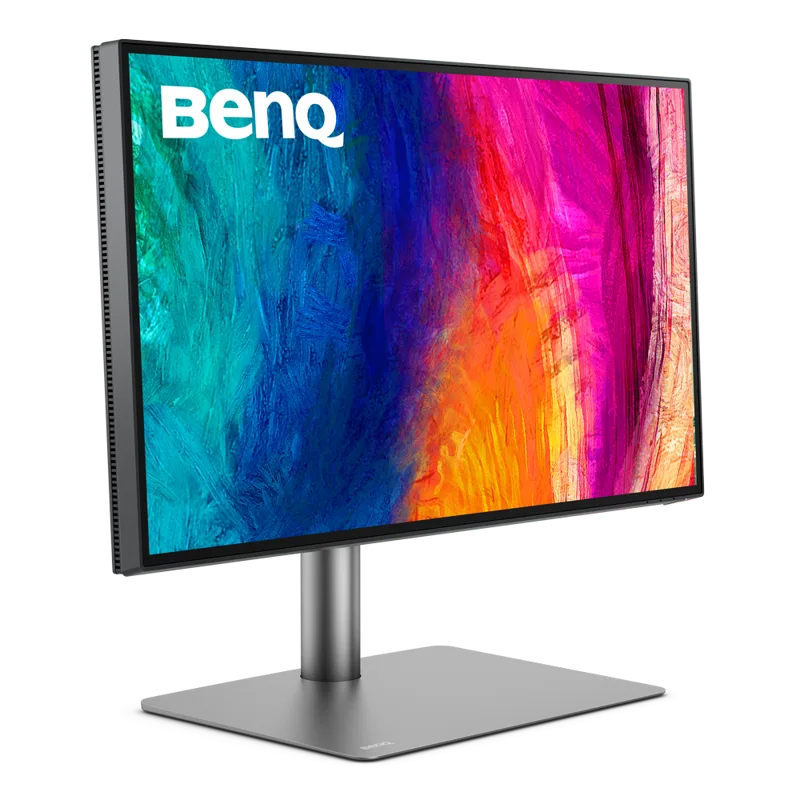
BenQ's PD2725U doesn't chase the same headline numbers as a gaming monitor — there's no eye-catching refresh rate, no RGB, no marketing built around milliseconds. It's a 27-inch 4K IPS panel built for designers, video editors, and anyone whose job depends on colors looking the same on screen as they do everywhere else. That's a narrower pitch than most monitors make, but it's also a pitch BenQ backs up with real hardware decisions rather than a sticker claiming "professional" on the box.
Color accuracy as the whole point
The PD2725U covers 95% of the DCI-P3 color space and 100% of sRGB, which puts it comfortably ahead of the color range on general-purpose office or gaming monitors, most of which top out around 90-95% sRGB and rarely bother measuring DCI-P3 at all. More importantly for professional use, BenQ ships the panel factory-calibrated with a Delta-E rating under 2 — the industry shorthand for "color differences a trained eye can't reliably distinguish" — which means the display is usable for color-critical work straight out of the box, without a colorimeter and calibration software as a mandatory first step.
The monitor includes hardware color modes tuned for specific workflows: Rec. 709 for video, sRGB for web and general design, DCI-P3 for cinema-adjacent work, and an Animation mode aimed at motion graphics. Switching between them via the on-screen menu locks the panel to that gamut rather than just applying a rough software filter, which matters if you're delivering work that needs to match a specific broadcast or print standard.
Thunderbolt 3 and the single-cable workflow
Where the PD2725U earns points beyond pure color science is connectivity. It includes Thunderbolt 3 with up to 90W of power delivery, meaning a compatible laptop can connect to the monitor, get power, and pass display and data over one cable — no separate charger, no USB hub cluttering the desk. For anyone working from a MacBook Pro or a similarly Thunderbolt-equipped Windows laptop, that single-cable setup genuinely changes the daily experience of docking and undocking versus juggling three separate cables every time you sit down or leave.
The panel itself uses an IPS layer rather than the VA or Mini LED tech showing up in higher-contrast gaming monitors, which is the right tradeoff for this use case: IPS gives more consistent color and wider viewing angles at the cost of the deep blacks VA panels do better. For design and video work viewed mostly straight-on, that's the correct priority order.
What it doesn't try to be
At a 60Hz refresh rate and 5ms response time, this is explicitly not a gaming monitor, and BenQ doesn't pretend otherwise. If your workflow mixes serious color work with serious gaming, you'll want a second monitor rather than expecting this one to do both — something closer to Samsung's Odyssey Neo G7 covers the high-refresh side of that split far better, at the cost of the PD2725U's color precision. Brightness tops out at 250 cd/m2 sustained (400 nits peak in HDR content), which is adequate for indoor studio conditions but noticeably dimmer than monitors built around HDR gaming, where 600-1000 nit peaks are increasingly common.
Build and ergonomics
BenQ includes a hotkey puck — a small physical dial that sits on the desk and lets you switch color modes, adjust brightness, or toggle inputs without diving into on-screen menus — which is a small but genuinely useful addition for anyone switching between color profiles multiple times a day. The stand supports height, tilt, swivel, and pivot adjustment, covering the full range most ergonomic setups need, and a detachable hood is available separately for anyone doing critical color grading in a room with inconsistent ambient light.
HDR: present, but not the point
The PD2725U supports HDR10 content playback and can hit 400 nits peak brightness in HDR mode, which is enough to notice the difference in highlight detail on HDR video content without approaching the 1000+ nit peaks that make HDR genuinely striking on gaming-oriented panels. This is worth setting expectations around: BenQ isn't marketing this as an HDR monitor in the way a Mini LED gaming display is, and reviewers who go in expecting a dramatic HDR experience will likely come away unimpressed. Its HDR support exists mainly so editors working on HDR-mastered video have a reasonably accurate preview, not so viewers get a cinematic HDR experience watching a movie.
The panel's uniformity compensation — a factory process that corrects for the natural brightness and color variation across different regions of an LCD panel — is also part of what BenQ charges a premium for versus a generic 4K IPS monitor. On cheaper panels, a flat gray or white background will often show faint patches of uneven brightness, especially near the edges; the PD2725U's compensation keeps that variation small enough that it doesn't interfere with color-critical judgments made across the full screen.
Where it sits against the competition
Within BenQ's own lineup, the PD2725U sits below the SW-series monitors built specifically for photography with even tighter calibration and hardware LUT support, and above general-purpose 4K office monitors that claim "good enough" color without factory verification. Against monitors from other color-focused brands — ASUS ProArt or Dell's UltraSharp Color-Critical line — the PD2725U competes mainly on the Thunderbolt 3 single-cable convenience, since raw color accuracy across that tier of monitor tends to land in a similarly tight, professionally usable range. The deciding factor for most buyers in this category ends up being connectivity and ergonomics rather than any single monitor having a dramatically better panel than its direct competitors.
Who this is actually for
The PD2725U makes sense for photographers, video editors, and graphic designers who need trustworthy color without paying reference-monitor prices, and especially for anyone on a Thunderbolt-equipped laptop who wants to simplify their desk to one cable. It's a poor fit for gaming, and a genuinely bad value if color accuracy isn't part of your workflow — a monitor like the Dell UltraSharp U2723QE covers general productivity use at a lower price without the specialized calibration tools this panel is built around. For its actual target audience, though, the PD2725U is a straightforward, well-executed tool rather than a monitor trying to be everything to everyone.