Dell UltraSharp U2723QE Review: The Productivity Monitor That Does Almost Everything
8.7/10
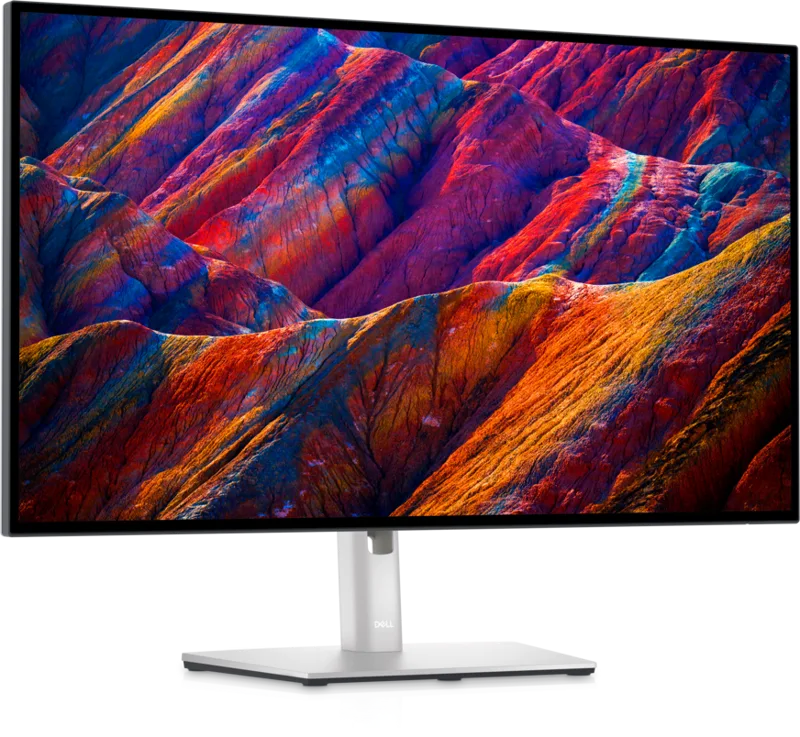
Dell's UltraSharp line has built its reputation on being the default "safe pick" for professionals who need a color-accurate, well-connected monitor without gaming-monitor gimmicks, and the U2723QE continues that tradition with an IPS Black panel that meaningfully improves on standard IPS contrast.
The panel itself runs 3840x2160 (4K UHD) at 27 inches — a pixel density that's sharp enough for fine text and detailed photo work without needing aggressive OS scaling on most systems. IPS Black technology, which Dell has used across several recent UltraSharp models, roughly doubles typical IPS contrast, landing at a rated 2000:1 here versus the ~1000:1 you'd see on a standard IPS panel. It's a genuinely visible improvement in shadow detail during photo and video work, even if it's still a step below OLED or true VA contrast.
Refresh rate is a standard 60Hz with 5ms response time — this is explicitly not a gaming monitor, and buyers looking for smooth motion for competitive titles should look at something like the LG 27GP850-B or the OLED-based ASUS PG27AQDM instead. What the U2723QE trades that refresh rate for is connectivity: a single USB-C input can simultaneously carry video, data, and up to 90W of power delivery, meaning a modern laptop can be run entirely off one cable — display, network via the built-in ports, and charging all at once. Beyond that USB-C input, the monitor includes DisplayPort 1.4, HDMI, and four USB-A downstream ports, effectively functioning as a lightweight USB hub in addition to a display.
VESA DisplayHDR 400 certification is present but, as with most IPS-based HDR-400 panels, is best treated as an HDR-signal-compatibility checkbox rather than a true HDR experience — there's no local dimming array here, so highlights brighten but blacks don't deepen the way they would on the OLED panel above.
Build and ergonomics
Dell's UltraSharp stands remain some of the best in the monitor market: full height, tilt, swivel, and pivot adjustment out of the box, a small cable-management arm built into the stand column, and a compact footprint that doesn't eat much desk space. Bezels are thin on three sides, which also makes the U2723QE a clean choice if you're planning a future multi-monitor desk setup.
Who it's for
This is the monitor for hybrid workers who dock a laptop daily and want to minimize cable clutter, for photo and video editors who need better-than-average contrast and color without paying for a dedicated reference display, and for anyone who values a single-cable USB-C workflow over high refresh rates. If gaming performance matters more to you than any of the above, this isn't the panel — but if "one clean cable, sharp 4K text, and accurate color" describes your priorities, the U2723QE is difficult to beat.
Verdict
A genuinely well-rounded 4K productivity monitor whose 90W USB-C hub functionality alone can eliminate the need for a separate docking station on many laptops, paired with contrast that's a real step up from standard IPS.
The single-cable workflow in practice
The most genuinely useful feature of this monitor for hybrid and remote workers isn't a visual spec at all — it's the 90W USB-C power delivery bundled with video and data over one cable. In practice, this means arriving at a desk, plugging in a single USB-C cable, and having your laptop charging, connected to the monitor's built-in Ethernet-capable hub (via the downstream USB-A ports and an adapter, or directly if your dock setup includes one), and displaying at full 4K resolution within seconds — no separate charger, no separate dock, no juggling multiple cables. For anyone who moves between a desk and a couch or a second location during the day, this alone can be worth the purchase over a lower-connectivity monitor.
Color accuracy for creative work
Dell's UltraSharp line has historically targeted factory color calibration more seriously than most general-purpose monitor lines, and the U2723QE continues that with tighter out-of-box color accuracy than most panels in its price bracket, even without a dedicated hardware colorimeter. It won't fully replace a specialized color-critical reference monitor for print production work, but for web and social content creation, general photo editing, and video color correction where "very good, consistently calibrated" is the actual requirement rather than print-certified accuracy, it comfortably covers the need.
Where it falls short
The 60Hz refresh rate is the clearest limitation, and Dell has made no attempt to position this as a gaming monitor — fast-paced games will show more motion blur here than on a 144Hz+ panel, and competitive shooter players should look elsewhere entirely. The speakers, if present on your regional SKU, are the typical thin, tinny built-in monitor speakers not meant for serious listening — pairing with a proper desk speaker setup or headset is recommended for anything beyond notification sounds.
Long-term value
Given the panel's IPS Black contrast improvement, strong single-cable connectivity, and Dell's generally solid track record for panel longevity and consistent color performance over years of use, the U2723QE tends to be the kind of monitor buyers keep for many years rather than upgrading annually — a genuinely sound long-term desk investment for anyone whose priorities match its productivity-first design.
Frequently asked
Can this monitor be used as a hub for peripherals when the laptop is disconnected? No — the USB-A downstream ports and card reader require an active upstream USB-C connection from a host computer to function, so it's not a standalone hub. Does the 90W power delivery work with non-Dell laptops? Yes, USB-C Power Delivery is an open standard, so any laptop that accepts USB-C charging at or below 90W will charge normally through this monitor, regardless of brand. Is a stand height adjustment enough to hit proper eye-level ergonomics for most users? For most adults sitting in a standard office chair, yes — the U2723QE's stand range comfortably covers eye-level positioning without needing a separate monitor arm, though very tall or very short users may still prefer an arm for finer adjustment.
One more practical note: pricing on this category fluctuates with regional availability and sales events, so it is always worth comparing the current price against close alternatives in the same lineup before finalizing a purchase, rather than assuming list price is the best available offer.