LG 27GP850-B Review: A QHD Gaming Monitor That Still Holds Up
8.3/10
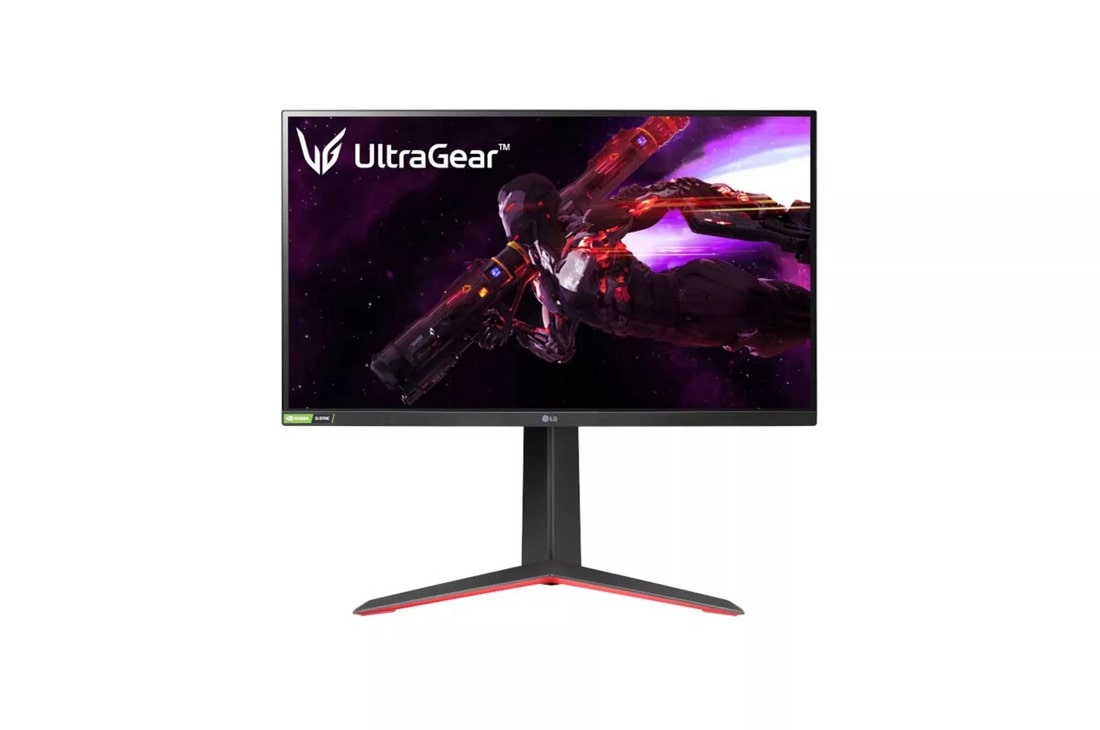
The LG 27GP850-B has been a staple recommendation in the 27-inch QHD gaming monitor category for a reason: it pairs a genuinely fast Nano IPS panel with pricing that undercuts most of its direct rivals, without the compromises that usually come with a budget-leaning gaming display.
At the center of the panel is LG's Nano IPS technology running at 2560x1440 with a native 165Hz refresh rate that can be overclocked to 180Hz in the OSD. Response time is rated at 1ms GtG, and in practice motion clarity holds up well even in fast-paced shooters and racing games, with only mild overshoot artifacts visible if you push the overdrive setting to its most aggressive mode. For most users, the "Fast" overdrive preset is the sweet spot between sharpness and ghosting.
Color coverage is rated at 98% DCI-P3 (typical), which is unusually wide for a monitor in this price bracket — LG's Nano IPS layer filters out more of the yellow-green wavelengths that wash out cheaper IPS panels, so out-of-the-box color looks noticeably more saturated than a typical VA or standard IPS competitor. It won't replace a dedicated color-grading reference monitor, but for gaming, content browsing, and casual photo editing it's more than adequate.
HDR support is limited to VESA DisplayHDR 400, which on an edge-lit panel without local dimming zones mostly just means the display can accept an HDR signal and boost brightness modestly — don't expect the contrast punch of a true HDR panel. It's a "nice to have" rather than a selling point, and most reviewers (ourselves included) leave HDR off for SDR gaming and only toggle it for HDR-mastered video content where the source material is graded for it.
Adaptive sync coverage is a genuine strength: the 27GP850-B carries both NVIDIA G-SYNC Compatible and AMD FreeSync Premium certification, so regardless of which GPU vendor you're on, you get tear-free gameplay across the monitor's full refresh range without needing a proprietary G-SYNC module (which would have pushed the price up substantially).
Who it's for
If your budget caps out before you can afford an OLED panel like the ASUS ROG Swift OLED PG27AQDM, the 27GP850-B is one of the most sensible QHD gaming monitor purchases you can make in 2026. It's especially well suited to competitive shooter players who value the higher refresh rate and low input lag over per-pixel HDR contrast, and to anyone upgrading from a 60Hz or 75Hz panel who wants a dramatic, immediately noticeable jump in smoothness.
If your workflow leans more toward color-critical work — photo editing, video color correction — you may prefer stepping up to something with wider factory-calibrated coverage and a hardware calibration option, like the Dell UltraSharp U2723QE, which trades refresh rate for 4K resolution and IPS Black contrast.
Build quality is unremarkable but sturdy: an all-plastic chassis with a red accent ring on the rear, a stand that offers height, tilt, swivel, and pivot adjustment (a genuinely useful inclusion at this price point), and 100x100mm VESA mounting if you'd rather run it on an arm.
Verdict
The LG 27GP850-B remains a strong value pick in the 27-inch QHD gaming monitor space: fast, well color-calibrated for the price, and flexible on the stand. It's not the sharpest or highest-contrast panel in our monitor lineup, but for the money it's hard to beat if 165-180Hz QHD gaming is the priority.
Everyday use: what it's like living with this panel
Beyond the spec sheet, the day-to-day experience of the 27GP850-B is defined by how little you think about it once it's set up — which is the highest compliment a monitor in this price range can get. Text rendering at QHD on a 27-inch panel is sharp enough that most users never feel the need for OS scaling above 100%, unlike a 1080p panel at the same size where text can look visibly soft. The matte anti-glare coating handles a moderately lit room well, cutting down on reflections from overhead lighting or a window off to the side without introducing the grainy "sparkle" effect that overly aggressive anti-glare coatings sometimes produce on bright white backgrounds.
Input lag, measured independently by several display-testing outlets, comes in low enough that competitive players generally can't distinguish it from a dedicated esports-first panel costing considerably more — LG's decision to keep the pixel response tuning aggressive without overshooting into visible inverse ghosting pays off here. The on-screen display, controlled via a small joystick on the rear-bottom-right of the chassis, is one of the more intuitive OSD menus in this category, with quick-access shortcuts for switching between the standard 165Hz and overclocked 180Hz modes and toggling HDR without digging through submenus.
Alternatives worth cross-shopping
If you find this exact panel out of stock or want to compare pricing, the broader 27-inch QHD 165Hz+ Nano IPS/fast-IPS category has several close competitors from Asus, Acer, and Gigabyte with very similar core panel specifications, since many of these monitors license similar panel generations from the same handful of panel manufacturers. The 27GP850-B tends to differentiate itself on price-to-feature ratio and LG's generally strong out-of-box color calibration rather than any single unique hardware feature, so if you see a direct competitor on a steep discount, it's worth comparing the specific refresh rate, response time, and adaptive sync certifications side by side rather than assuming they're interchangeable.
Longevity and warranty considerations
IPS-based panels like this one don't carry the burn-in risk profile of OLED, so there's no need for the pixel-refresh or brightness-limiting behaviors that OLED monitors build in — you can leave a static taskbar or HUD on screen indefinitely without any long-term image-retention concern. That makes this panel a genuinely low-maintenance choice for users who want to buy a monitor once and not think about usage patterns at all. LG's standard monitor warranty coverage in most regions runs a few years, which is in line with the rest of the gaming monitor category.
Frequently asked
Does this monitor need a powerful graphics card to hit 165-180Hz? At QHD resolution, a mid-range modern GPU can sustain high frame rates in most competitive titles, making this panel considerably more attainable to run at full refresh than a 4K high-refresh monitor would be. Is the overclocked 180Hz mode safe to leave on permanently? Yes — LG's overclock mode is a standard, supported firmware feature rather than an unofficial hack, and leaving it enabled full-time causes no additional wear on the panel.