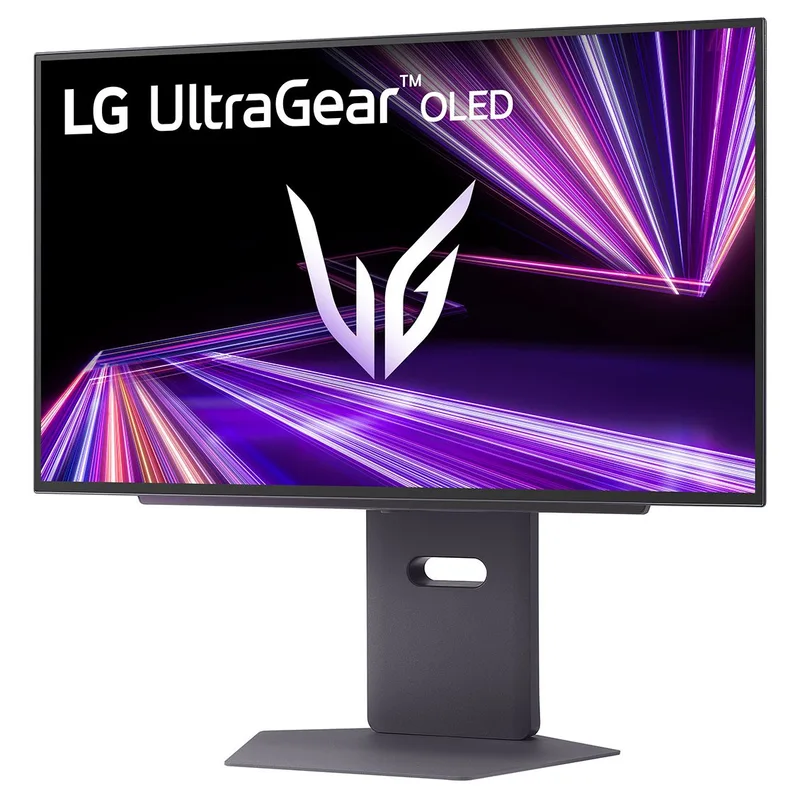
LG UltraGear 27GX790A
A 27-inch QHD WOLED gaming monitor with a 480 Hz refresh rate, 0.03 ms response time, DisplayPort 2.1 and up to 1,300 nits of peak brightness.
Specifications
| Panel | WOLED (MLA+) |
|---|---|
| Screen Size | 26.5" (27" class) |
| Resolution | 2560x1440 (QHD) |
| Refresh Rate | 480Hz |
| Response Time | 0.03ms GtG |
| Brightness | 275 nits typical (APL 100%), 1300 nits peak (APL 1.5%) |
| HDR | VESA DisplayHDR True Black 400 |
| Color Gamut | 98.5% DCI-P3 (typ.) |
| Contrast | 1,500,000:1 (typ.) |
| Adaptive Sync | NVIDIA G-SYNC Compatible, AMD FreeSync Premium Pro, VESA AdaptiveSync |
| Ports | DisplayPort 2.1, 2x HDMI 2.1, 2x USB 3.0 down + 1 up, 4-pole headphone out |
| Stand | Tilt/height/swivel/pivot, VESA 100x100 |
| Weight | 9.3 kg with stand |
The LG UltraGear 27GX790A is a 27-inch OLED gaming monitor built around one big idea: a QHD (2560 x 1440) picture that refreshes 480 times per second, with the near-instant pixel response and deep blacks that OLED is known for. It is a specialist tool for competitive players and for anyone who wants the smoothest motion currently available on a desk, and it is a demanding monitor to drive. This page explains what the specifications mean, what you need in a PC to take advantage of them, and how to look after an OLED screen.
The panel: WOLED with a brighter twist
The screen is a WOLED panel, meaning LG's white-OLED technology, at QHD resolution. A note on size: LG's marketing calls it a 27-inch monitor, while the detailed specification lists a 26.5-inch diagonal. Both refer to the same panel; 26.5 inches is the measured diagonal and 27 is the class name. Pixel pitch is 0.2292 mm. QHD at this size is a well-liked balance for gaming, sharp enough to look crisp while being far easier for a graphics card to drive at high frame rates than 4K. If you are weighing resolutions, our panel technology guide shows how OLED differs from IPS and VA in contrast, response and colour.
What separates this model from earlier LG OLED gaming monitors is Micro Lens Array+ (MLA+), a layer that improves how efficiently the panel's light leaves the screen. LG lists a standard brightness of 275 nits (at a 100% average picture level, minimum 250) and a peak of 1,300 nits on a small 1.5% window, and says SDR brightness is up to 37.5% higher than its previous MLA models, the 27GR95QE and 45GR95QE. The monitor carries VESA DisplayHDR True Black 400 certification, which is about deep, consistent blacks rather than maximum brightness, and LG quotes a typical contrast ratio of 1,500,000:1 (1,200,000:1 minimum). Typical coverage is 98.5% of DCI-P3 (94% minimum), with 10-bit colour and 1.07 billion colours, and LG states a colour accuracy of Delta E 2 or lower, with a calibration report in the box.
The screen also has an anti-glare, low-reflection coating, meant to reduce distracting reflections in bright rooms, and LG notes UL certification for flicker-free, discomfort-glare-free and low-blue-light (Platinum, hardware solution) operation. As usual with OLED, black looks black in a dark room, and highlights in games look punchy; in a very bright room the screen will not match the peak brightness of a mini-LED monitor across the whole picture. Our comparison of burn-in facts and fears is worth reading if permanent image retention worries you.
480 Hz and 0.03 ms: speed on paper and in practice
The headline numbers are a 480 Hz maximum refresh rate and a 0.03 ms grey-to-grey response time. A very short response time means pixels change almost instantly, which reduces blur. LG says this is the first OLED gaming monitor to earn the top VESA ClearMR 21000 motion clarity certification, with a Clear Motion Ratio above 19,500. The monitor is G-SYNC Compatible (validated by NVIDIA), supports AMD FreeSync Premium Pro and VESA AdaptiveSync, so it can match the refresh rate to your frame rate and avoid tearing.
To use 480 Hz in QHD you need a computer that can produce that many frames, and you need a suitable connection. The monitor has one DisplayPort 2.1 input and two HDMI 2.1 inputs, and supports VESA DSC compression. LG suggests DisplayPort 2.1 as the route to 480 Hz at QHD. There is an important note on LG's own page: NVIDIA released a hotfix driver (576.26, dated 28 April 2025) to resolve screen blackouts on DisplayPort 2.1 with RTX 50 series cards, and LG advises NVIDIA users to install the latest driver first; users still affected can switch the monitor's DisplayPort input to 1.4 as a workaround. In real games, only fast esports titles on strong hardware will get near 480 frames per second, so consider this a monitor with a lot of headroom. Our refresh rate guide explains where the returns begin to diminish.
Gaming features that are actually useful
LG includes a set of gaming aids in the on-screen menu: Black Stabilizer (lifts detail in dark scenes), Dynamic Action Sync (reduces input lag), a fixed Crosshair and an FPS counter. A 24-inch screen size mode can be selected in the aspect ratio setting for games where a smaller picture reduces eye movement. The Personalised Picture Wizard lets you choose your preferred look by selecting sample images in the LG Switch app. LG Calibration Studio supports hardware calibration, but the software and the sensor are not included in the package. The monitor is also "HW calibration ready".
The rear has a hexagon lighting design. There are two USB 3.0 downstream ports and one upstream port, and a 4-pole headphone output with DTS Headphone:X virtual 3D sound. The stand is an L-shaped design intended to save desk space, and adjusts for height (110 mm), tilt (-5 to 15 degrees), swivel (30 degrees either way) and pivot. It also supports 100 x 100 mm VESA mounting.
Dimensions, power and what you get in the box
With the stand the monitor is 605.2 mm wide and between 469.3 and 579.3 mm tall depending on height, and 249.1 mm deep. Without the stand it is 605.2 x 351.0 x 45.3 mm. The weight is 9.3 kg with the stand and 5.1 kg without. Power comes from an external adapter (19 V, 7.37 A) and LG lists under 0.5 W in sleep mode. In the box are an HDMI 2.1 cable (1.8 m), a DisplayPort 2.1 cable, a USB A-to-B cable, the adapter, a power cord and a calibration report.
Living with an OLED
LG recommends turning on the monitor's protection features, which include OLED Screen Move, which nudges the picture regularly, a Screen Saver and Image Cleaning. In practice: avoid leaving a static window, a taskbar or a game HUD on screen for many hours at maximum brightness, let the monitor run its refresh cycles when it is on standby, and vary your use if you can. This is normal advice for any OLED, not a defect, and text clarity on an OLED can look slightly different to IPS at small font sizes, so check that you are happy with it for daily office work too.
Who should buy it
The 27GX790A suits competitive gamers with a powerful PC, particularly those who play fast shooters, and anyone who values extreme smoothness. It is also a good fit if you like dark-room gaming and cinematic contrast. It is a poor match for a laptop-only setup without a suitable port, for someone who mostly does spreadsheets and static work, or for a buyer on a modest budget. To see how it fits in with other displays here, browse the monitors category and consider the ASUS ROG Swift OLED PG27AQDM and the Samsung Odyssey OLED G6, two other 27-inch-class QHD OLED gaming screens, the ASUS at 240 Hz and the Samsung with a 500 Hz QD-OLED panel. LG's page did not show a fixed price, so we do not quote one.