OLED vs. IPS vs. VA: Monitor Panel Technology Explained
Panel technology is the single biggest factor separating a monitor that looks merely fine from one that looks genuinely exceptional, and yet it's often the spec buyers understand least. Resolution and refresh rate get all the marketing attention, but whether a screen uses OLED, IPS, or VA determines contrast, color, motion clarity, and even how long the panel will last before it degrades. This guide breaks down what's actually different under the hood, using real specs from monitors we've tested rather than marketing generalities.
How each panel technology actually works
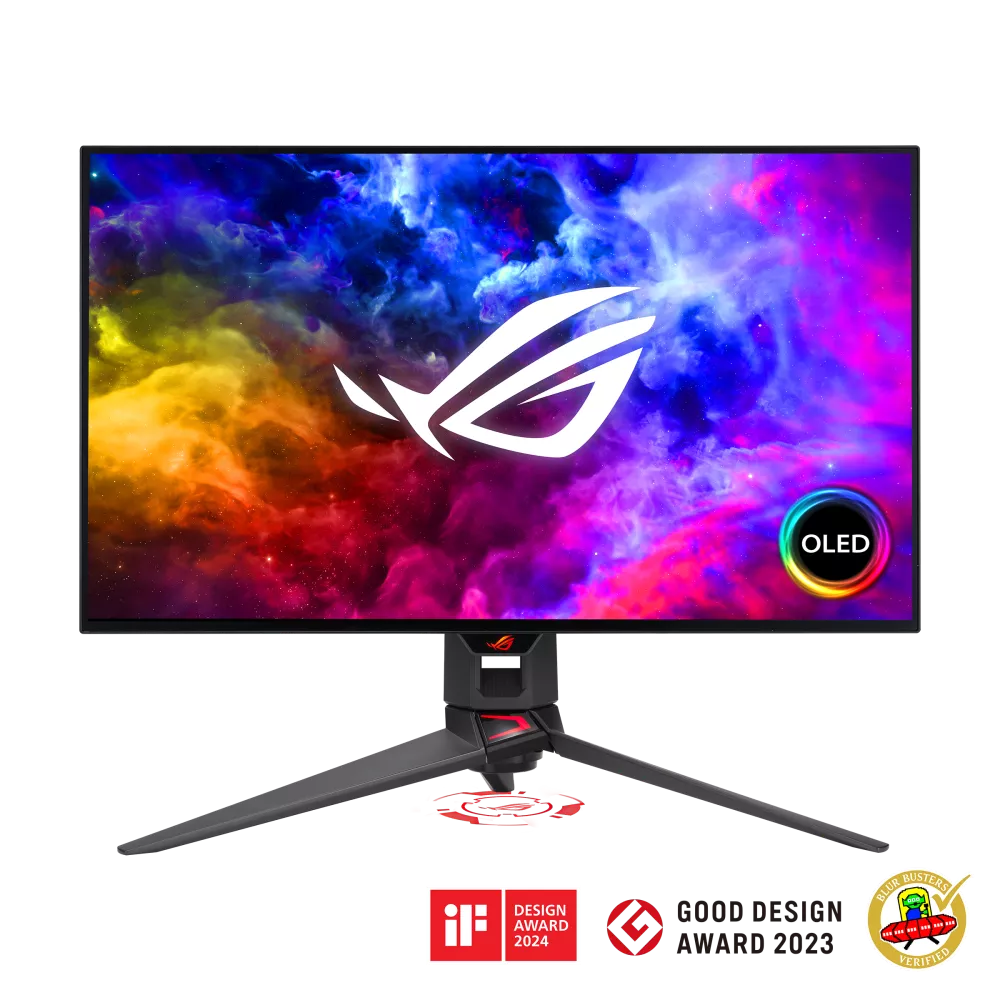
IPS (In-Plane Switching) rotates liquid crystals horizontally between two glass layers, which is why IPS panels have historically been prized for wide, stable viewing angles and consistent color even off-axis. VA (Vertical Alignment) crystals sit vertically at rest and tilt when voltage is applied, which naturally blocks more backlight in the off state — that's the root of VA's higher native contrast, but also the source of its narrower viewing angles and its tendency toward dark-scene smearing. OLED is a completely different mechanism: there's no backlight at all. Each sub-pixel is its own light source, switching on, off, or to any brightness level individually. That self-emissive design is why OLED panels like the one in the ASUS ROG Swift OLED PG27AQDM can produce a true, per-pixel black — a pixel that's off emits no light at all, not "very little" light like a backlit LCD.
Contrast and black levels
This is where the three technologies diverge most visibly. A typical IPS panel manages somewhere around 1,000:1 native contrast; premium IPS variants like IPS Black — the panel type in the Dell UltraSharp U2723QE — roughly double that to around 2,000:1 through a modified liquid-crystal layer that blocks more backlight bleed. VA panels start from a structural advantage here, often landing in the 3,000:1–6,000:1 range even without local dimming; add a Mini LED backlight with hundreds of independently dimmable zones, as in the Samsung Odyssey Neo G7 32", and you get contrast that looks close to OLED in bright HDR scenes, backed by 1000 nits of peak HDR brightness. OLED skips the contest entirely by not needing to block light in the first place — its native contrast is effectively infinite pixel-to-pixel, since black pixels are truly off.
Motion clarity and response time
Response time measures how fast a pixel can shift from one shade to another, and it's where OLED's self-emissive design pays off most dramatically. The PG27AQDM specs a 0.03ms GtG response time, fast enough that motion blur is essentially a non-issue even at its 240Hz refresh rate. Nano IPS panels like the LG 27GP850-B claim 1ms GtG and, in practice, look clean and blur-free at their 165Hz refresh rate, though not quite as crisp as OLED in slow-motion camera comparisons. VA panels also advertise 1ms GtG numbers on spec sheets, but the physical reality of vertically-aligned crystals means dark-to-dark transitions — a common case in games with shadowy scenes — can lag behind that number, producing a faint smearing trail behind moving objects that neither IPS nor OLED exhibits to the same degree.
Color accuracy and viewing angles
IPS remains the safest bet for color-critical work specifically because its horizontal crystal rotation keeps color and contrast far more consistent as you move off-center — a real advantage for multi-person reviews of a screen, or simply sitting slightly off-axis at a desk. Color-accurate IPS panels built for that job, like the BenQ PD2725U, target 95% DCI-P3 and 100% sRGB coverage with factory calibration, the kind of numbers photo and video editors specifically shop for. OLED color is also excellent — often wider gamut coverage than IPS at the panel level — but has historically shipped in gaming-first models tuned for saturation and vibrancy over factory-verified accuracy. VA sits behind both here: contrast is its strength, but color and brightness noticeably shift as you move off the sweet spot, more so than IPS and usually more than OLED too.
Burn-in risk and long-term durability
OLED's one real long-term caveat is image retention and burn-in, since organic sub-pixels age with cumulative brightness and usage, and static elements (taskbars, HUDs, channel logos) age unevenly compared to changing content. Modern OLED monitors ship with pixel-shifting, logo-dimming, and periodic pixel-refresh routines specifically to manage this, and real-world reports suggest it's a far smaller practical risk in 2026 than the earlier plasma-TV era of burn-in anxiety implied — we cover the actual data in a dedicated OLED burn-in explainer. IPS and VA panels carry no organic aging risk at all, but IPS is more prone to backlight bleed and "IPS glow" at the corners in dark rooms, while VA panels are comparatively immune to glow thanks to their higher native contrast blocking more stray backlight.
Which panel technology should you buy
If color accuracy for creative work is the priority, IPS — ideally an IPS Black or color-calibrated variant — is still the most dependable choice. If you want the best HDR contrast for movies and games without OLED's price premium or burn-in considerations, a Mini LED VA panel is the strongest middle ground, delivering most of OLED's punch in bright scenes at a lower cost. If motion clarity and true blacks matter most and budget allows, OLED remains meaningfully ahead of both alternatives for competitive gaming and dark-room content — just budget for the panel-care habits that keep burn-in risk low. For a deeper look at how panel choice interacts with screen size, the 27-inch QHD vs. 32-inch 4K guide on this site is a useful companion read before you commit to a specific model, since a larger panel makes contrast and viewing-angle weaknesses more noticeable simply because you sit closer to more of the screen's surface area.
HDR performance in the real world
HDR on a spec sheet and HDR you can actually see are two different things, and the gap comes down almost entirely to local dimming. A basic edge-lit IPS panel with VESA DisplayHDR 400 certification technically supports HDR metadata, but with only a handful of dimming zones it can't meaningfully brighten highlights without also brightening the surrounding dark areas, so the practical HDR effect is modest at best. Mini LED VA panels change that equation by packing in hundreds of independently controlled backlight zones behind the VA layer, letting a bright explosion stay bright while the night sky around it stays dark — real HDR "pop" rather than a marketing checkbox. The trade-off is blooming: with enough zones the halo around a bright object against a dark background is barely visible, but with too few it becomes a distracting glow. OLED sidesteps the entire zone-count conversation, since every individual pixel is its own dimming zone — there's no blooming because there's nothing to bloom around. That per-pixel precision is a big part of why OLED HDR demos consistently look the most striking of the three technologies side by side, even when the peak-brightness number on the spec sheet is lower than a Mini LED VA panel's.
Gaming-specific considerations
Competitive and casual gaming stress these panel technologies differently. Fast-paced shooters reward the combination of high refresh rate and low response time, which is why OLED and premium Nano IPS panels dominate esports-oriented monitor lineups — the 240Hz OLED and 165Hz Nano IPS panels covered above both handle fast camera pans without the smearing that a slower VA panel can introduce in dark corridors or nighttime maps. Slower, atmosphere-heavy games benefit more from VA or OLED's superior black levels, since shadow detail and contrast do more for immersion than an extra 50Hz of refresh rate. Adaptive sync compatibility (G-SYNC Compatible or FreeSync Premium, depending on the model) matters across all three technologies equally and is worth checking against your specific GPU regardless of which panel type you land on.