Apple Studio Display
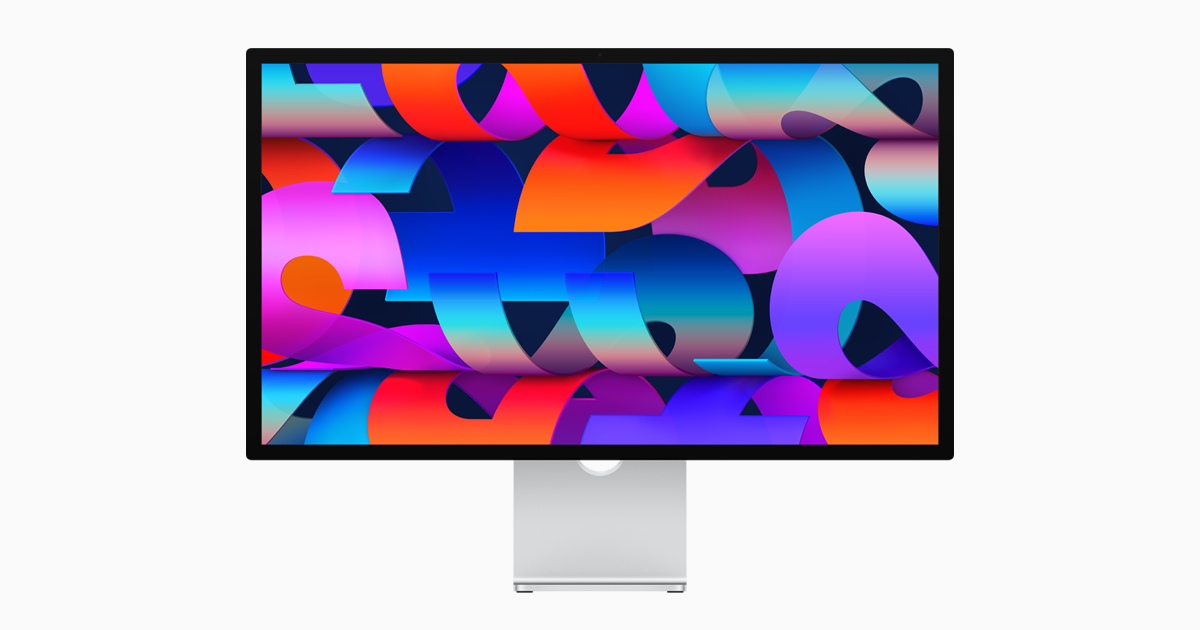
A 27-inch 5K Retina display with Thunderbolt 5, a 12MP Center Stage camera, a six-speaker sound system and a choice of tilt, height-adjustable or VESA mounting.
Specifications
| Panel | 27-inch 5K Retina |
|---|---|
| Resolution | 5120 x 2880 (218 ppi) |
| Brightness | 600 nits |
| Refresh | 60Hz |
| Color | P3 wide color, 1 billion colors, True Tone |
| Camera | 12MP Center Stage with Desk View |
| Audio | Six-speaker system, three-mic array |
| Ports | 2x Thunderbolt 5 (one upstream with 96W charging), 2x USB-C (10Gb/s) |
| Stands | Tilt-adjustable, tilt- and height-adjustable (105 mm) or VESA 100x100 adapter |
| Weight | 6.3 kg (tilt stand) |
| Options | Nano-texture glass |
The Apple Studio Display is one of the few monitors that tries to replace an entire cluster of desk gear: the screen, a webcam, a microphone, speakers and a port hub. Apple's current specification page describes a 27-inch 5K Retina panel, a 12MP Center Stage camera with Desk View, a six-speaker system, and two Thunderbolt 5 ports plus two USB-C ports. This guide walks through what Apple states on its overview and specifications pages, resolves the few places where the wording differs, and helps you decide whether the all-in-one approach suits your desk. We have not measured any of it, and where we quote a claim we say it is Apple's.
The display
The panel is a 27-inch (diagonal) 5K Retina display with 5120 x 2880 resolution at 218 pixels per inch, 600 nits of brightness and a 60Hz refresh rate. Apple lists support for 1 billion colors, wide color (P3) and True Tone, which adjusts color temperature to the room using an ambient light sensor. There is no variable refresh rate or high refresh option on the page, so this is a display for text, photos and video work rather than fast games. At 218 ppi, macOS can show sharp text at a comfortable size, and if you are weighing this resolution against other choices, our monitor size and resolution guide explains the trade-offs of 27-inch screens.
Two finishes matter. The standard glass has an anti-reflective coating that Apple says reduces glare for comfort and readability. A nano-texture glass is available as a configure-to-order option, and Apple describes it as scattering light to minimize reflectivity in rooms with bright light sources, such as a lot of sunlight. If your desk faces a window, that option is worth a look. Apple also lists nine reference modes, from Apple Display (P3-600 nits) and HDTV Video (BT.709-BT.1886) to Digital Cinema (P3-DCI and P3-D65), Design and Print (P3-D50), Photography (P3-D65) and Internet and Web (sRGB), plus NTSC and PAL and SECAM video modes. Apple does not list a built-in calibration sensor, so if calibration is central to your work, our color accuracy and calibration guide explains how to approach it.
Camera and microphones
The built-in camera is a 12MP Center Stage camera with Desk View. Apple says Center Stage keeps you in frame during video calls as you move around or others join you, and Desk View shows a top-down view of your workspace while keeping you on screen. Edge Light creates a virtual ring light around the edges of the display to illuminate your face. Apple lists FaceTime, Webex and Zoom as examples of apps that work. One footnote is worth reading: camera features and firmware updates require a connection to a Mac, so a display used with an iPad or another device may not get all of them. Three studio-quality microphones with directional beamforming handle voice, and the system supports "Hey Siri". To decide whether a built-in camera is enough for you, see how it compares in our webcam versus built-in laptop camera comparison.
Speakers
Apple describes an updated six-speaker system with four force-cancelling woofers and two high-performance tweeters, producing, in its words, 30 percent deeper bass, and calls it the highest-fidelity speaker system ever created for Mac. It supports wide stereo sound and Spatial Audio when you play music or video with Dolby Atmos. Those are marketing claims, and a real judgment needs your own ears, but the practical takeaway is that a desk with this display does not need separate speakers for calls, video and casual music.
Ports and connectivity
The display has two Thunderbolt 5 ports rated for up to 120Gb/s and two USB-C ports at up to 10Gb/s. One Thunderbolt 5 port is upstream to your computer and provides 96W of charging, so a Mac laptop can connect and charge over a single cable. The second Thunderbolt 5 port connects high-speed accessories or daisy-chains additional displays; Apple says you can daisy-chain up to four Studio Display monitors. The USB-C ports connect external drives or charge an iPhone. A footnote notes that when connected to some older iPad Pro and iPad Air models, the USB-C ports deliver USB 2 data speeds. If you are not sure what Thunderbolt 5 adds over earlier generations, read our explanation of Thunderbolt 3, 4 and 5 compatibility.
Compatibility
Apple says the Studio Display works with Mac models with Apple silicon running macOS Tahoe 26.3.1 or later. The list covers 14- and 16-inch MacBook Pro from 2021 onward, the 13-inch MacBook Pro with M1 from 2020 onward, 13- and 15-inch MacBook Air, Mac Studio, Mac mini, Mac Pro and the 24-inch iMac. iPad Pro and iPad Air models with iPadOS 26.3.1 or later are also listed. Apple adds that other devices may support video output, with resolution and refresh rate dependent on the device's own abilities, and it makes no promises for them. If you use a Windows PC, treat the Studio Display as a display first and confirm the features you care about before buying.
Stands, size and weight
You choose the mounting. The standard tilt-adjustable stand tilts from minus 5 to plus 25 degrees, which is a 30-degree range; the overview page describes this as 30 degrees of tilt, so the two pages agree. The tilt- and height-adjustable stand adds a counterbalancing arm and a total of 105 mm of height adjustment. A VESA mount adapter fits any 100 by 100 mm mount and allows landscape or portrait orientation. With the tilt-adjustable stand, the display measures 47.8 cm high, 62.3 cm wide and 16.8 cm deep and weighs 6.3 kg. With the height-adjustable stand it measures 47.9 to 58.3 cm tall, 20.7 cm deep and weighs 7.6 kg, and with the VESA adapter it is 36.2 cm high, 3.1 cm deep and 5.4 kg. If you plan to use an arm, our guide to monitor arms and standing desks covers the basics.
In the box, power and environment
The box holds the Studio Display and a 1-metre Thunderbolt 5 Pro cable. The line voltage is 100 to 240V AC at 50 to 60Hz. Apple says the display is ENERGY STAR certified and uses 100 percent recycled aluminum in the stand, 80 percent recycled glass in the standard glass, and fiber-based packaging. The operating range is 10 to 35 degrees Celsius with 5 to 90 percent non-condensing humidity.
Price and alternatives
The pages we read did not list a price, so we do not quote one; check Apple for the current price of each configuration, since nano-texture glass and the height-adjustable stand are extras. If you want another high-resolution monitor with USB-C connectivity for a laptop desk, look at the Dell UltraSharp U3225QE, a useful point of comparison.
The short version
The Studio Display suits people who live in the Apple ecosystem and value a sharp 5K panel, a good camera, speakers and a single-cable connection to their Mac. It is less suited to people who need a gaming refresh rate, a built-in calibration sensor or a Windows-first feature set. Choose your stand and glass carefully, because Apple lists them as configure-to-order options.