CalDigit CalDigit Element Hub (Thunderbolt 4 / USB4)
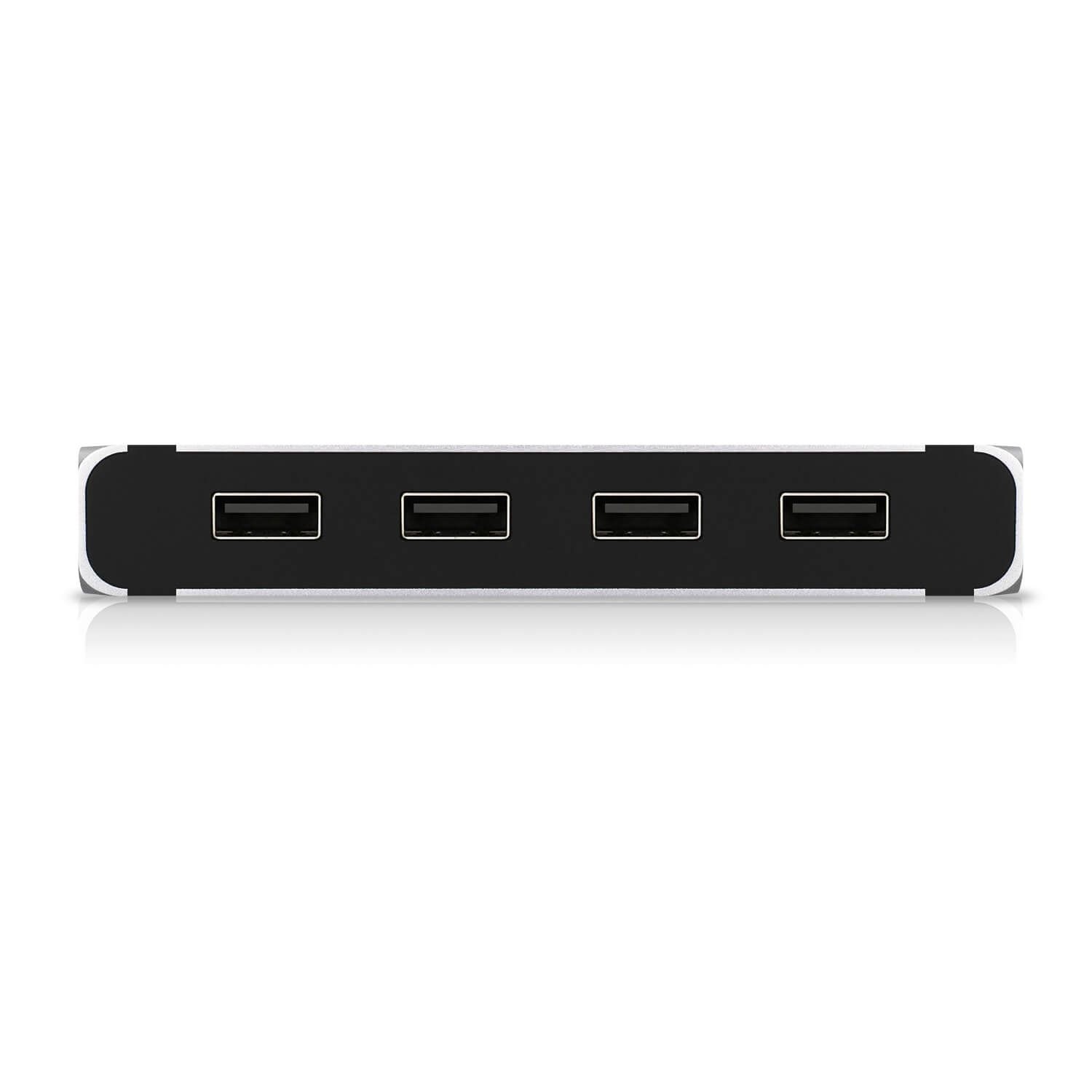
A compact aluminum Thunderbolt 4 / USB4 hub with four Thunderbolt 4 ports, four USB-A 10 Gb/s ports, up to 60 W host charging, a 150 W power supply, a reversible design and offline charging of all eight ports.
Specifications
| Ports | 8: 4x Thunderbolt 4 / USB4 (40 Gbps; one used for the host) and 4x USB-A 3.2 Gen 2 (10 Gbps) |
|---|---|
| Host Charging | Up to 60 W |
| Downstream Power | Thunderbolt 4 ports 15 W each (5 V / 3 A), USB-A ports 7.5 W each (5 V / 1.5 A) |
| Displays | Up to one 8K or dual 4K 60 Hz on Thunderbolt 4 hosts (depends on host) |
| Power Supply | 150 W adapter |
| Dimensions | 114 x 70 x 18 mm |
| Weight | 0.18 kg |
| Cable | 0.8 m passive Thunderbolt 4 cable included |
| Design | Reversible, left or right placement; status LED; offline charging of all 8 ports |
| Compatibility | Thunderbolt 5/4/3, USB4, USB-C hosts; macOS 11+, Windows 10+, iPadOS, ChromeOS |
| Warranty | 2 years |
| NDAA Compliant | Yes |
The CalDigit Element Hub is a Thunderbolt 4 and USB4 hub with eight ports in a body about the size of a thick paperback. CalDigit's page calls it the first of its kind: a hub that harnesses Thunderbolt 4 rather than the 5 or 10 Gb/s of a normal USB-C hub, so that four of its ports run at 40 Gb/s and the rest are fast USB-A. It is a hub, not a full dock: it has no Ethernet, no card readers, no video outputs and no audio, and its job is to turn one Thunderbolt connection into many. This guide is built from CalDigit's own product page and technical specifications. We have not tested the hub, so every figure is CalDigit's, and where the page is dated we say so.
Eight ports and how they split
The specification lists four Thunderbolt 4 ports at 40 Gb/s, four USB-A 3.2 Gen 2 ports at 10 Gb/s and one AC power input. One Thunderbolt 4 port connects to your computer, which leaves three for other devices such as another hub, a Thunderbolt or USB-C monitor, an NVMe SSD, RAID storage, a 10 GbE adapter or an SD card reader. The four USB-A ports take ordinary peripherals and fast drives. CalDigit stresses that the Thunderbolt ports can reach speeds of up to 3,000 MB/s for storage, which it compares with about 350 MB/s typical of a 5 Gb/s USB-C hub, so about 8.5 times faster in its own comparison. Those figures are CalDigit's, and actual speed depends on the drive and on protocol overhead. For help counting what you need to connect, see our docking station buying guide.
Displays
When connected to a Thunderbolt 4 computer, the hub can add one monitor up to 8K or two 4K monitors at 60 Hz, in extended or mirrored mode. Other hosts get less: the page's table shows that Intel Thunderbolt 3 Macs, Apple M-series Macs, USB-C 10 Gb/s PCs and USB-C 5 Gb/s PCs reach different resolutions and numbers of screens, with 8K at 60 Hz and dual 6K reserved for the strongest hosts. The page says Apple M1 computers support one external monitor in total from their Thunderbolt ports, and that current Macs can only reach HDMI 2.0b over Thunderbolt, which limits an adapter-based connection to 4K at 60 Hz. The hub has no video ports of its own, so you connect a USB-C or Thunderbolt monitor directly or use a USB-C video adapter for HDMI or DisplayPort. Our explainer on Thunderbolt 3, 4 and 5 compatibility explains why the host matters so much.
Charging and power
The hub charges a laptop or tablet at up to 60 W through the host port, with the standard USB power profiles of 5 V, 9 V, 15 V and 20 V at 3 A. Each downstream Thunderbolt 4 or USB4 port provides 15 W and each USB-A port 7.5 W. CalDigit makes a point that the hub gives a fixed 60 W of laptop charging even when fully loaded, whereas it says other Thunderbolt 4 hubs reduce laptop charging to 30 W or less under load. A 150 W power supply sits behind that. The page also describes an offline charging mode: the hub keeps charging USB-A and USB-C devices when it is not connected to a computer, and all eight ports can be used at once for this. For a thin laptop that needs more than 60 W, check the laptop's own requirement, because the hub caps at 60 W.
Build and design
The body is aluminum and the design is reversible, so you can place the hub on either the left or right side of a laptop and keep the ports on the near side, which helps with cable routing. A built-in LED shows that the hub is operating. The hub measures 114 millimetres long, 70 millimetres wide and 18 millimetres high and weighs 0.18 kilograms, and it comes with a 0.8 metre passive Thunderbolt 4 cable, two rubber feet strips, a 150 W power supply and a power cord. A longer 2 metre cable is suggested for desktop users so the ports can be reached from the desk. CalDigit's warranty is two years and the product is listed as NDAA compliant.
Compatibility and software
The hub works with Thunderbolt 5, 4 and 3 computers, USB-C (USB4) computers, USB-C (USB 3.1) computers, iPad Pro, iPad Air (4th generation), Windows tablets and USB-C Chromebooks, with minimum requirements of macOS 11 (Big Sur) or later, Windows 10 or later, iPadOS and ChromeOS. Thunderbolt devices and monitors connected to the hub only work with Thunderbolt or USB4 hosts, so on a plain USB-C computer only USB devices can be daisy-chained. The page warns that some Windows PC makers restrict functions on their Thunderbolt 3 and USB-C ports, such as charging and monitor support. It also offers a macOS docking utility that can eject all connected storage devices with one click, and a driver that lets the Apple SuperDrive work through the hub. Parts of the page refer to macOS 13 Ventura and to M1 and M2 Macs, which shows its age, so check CalDigit's current compatibility notes before buying for a recent computer.
Where it sits in our database
CalDigit's page includes a comparison with the OWC Thunderbolt Hub, and that product is in our database. OWC's hub lists four Thunderbolt ports (one for the host) and one USB port, 60 W host charging, a 0.8 metre cable and support for up to two 4K or one 5K, 6K or 8K display. CalDigit's table sets the Element Hub's eight ports and four USB-A ports against the OWC's five ports and one USB-A, its 150 W supply against 110 W, and its full 60 W under heavy load against a limit of 45 W under heavy load, with both listing two displays, 8K and a two-year warranty. Those are CalDigit's comparison figures. Our Satechi Thunderbolt 4 Slim Hub Pro entry lists a similar idea at 96 W of charging with three downstream Thunderbolt 4 ports and one USB-A port. For a full dock with Ethernet, card readers and video outputs, the CalDigit Thunderbolt Station 4 is the bigger step. The whole docking station category is open for browsing.
What the page does not say
CalDigit's page does not show a price in the text we read, does not give a launch date and carries notes aimed at 2022-era macOS. It does not describe the status LED colours or give the chassis finish beyond aluminum. Use this entry to check the facts that decide fit: Thunderbolt-only host, 60 W charging, no Ethernet or video ports, four USB-A ports, and three free Thunderbolt ports. Then check your computer's own display and charging limits, because a hub can pass on only what the host port provides.