Elgato Facecam MK.2
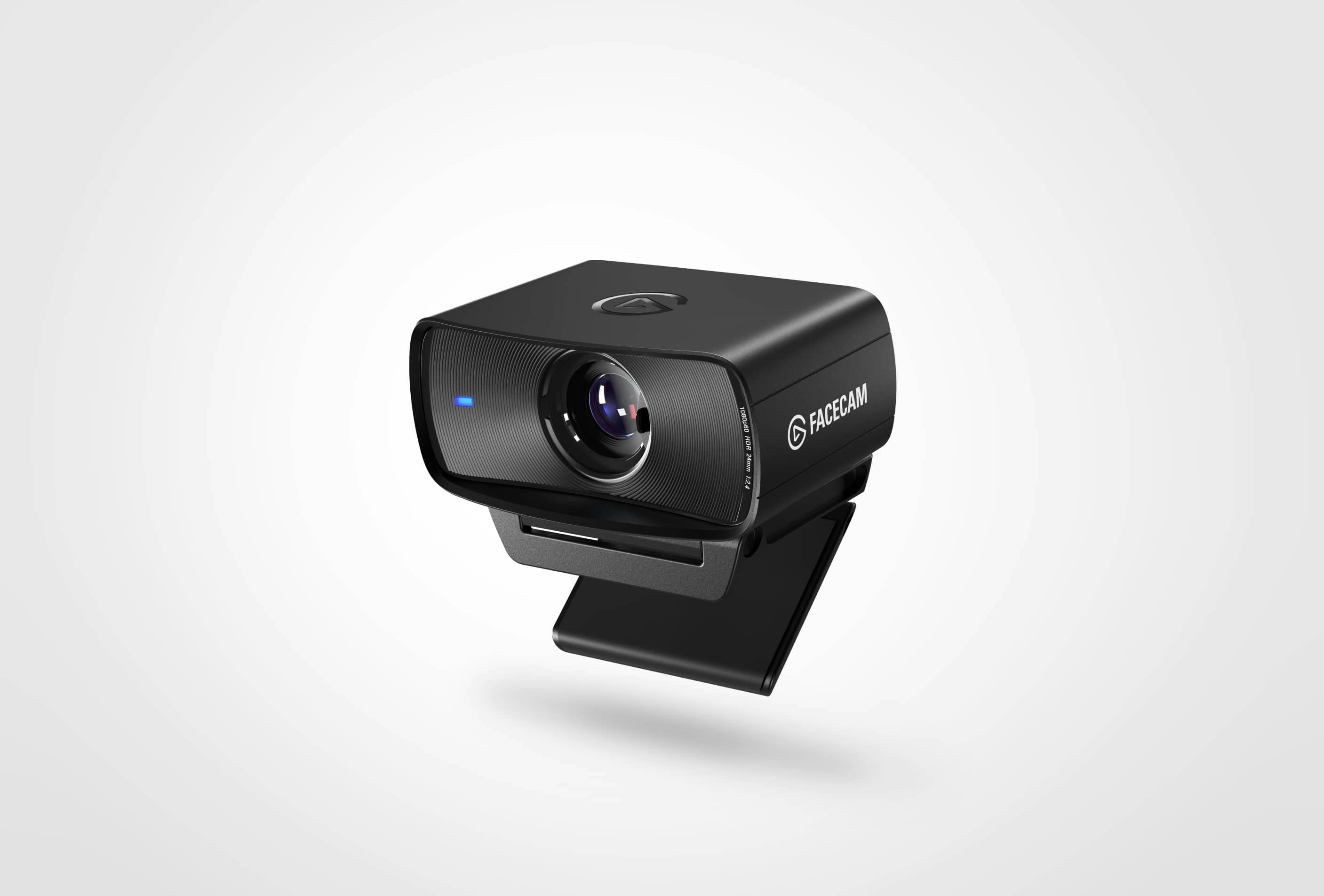
A fixed-focus 1080p60 webcam with a Sony sensor, an f/2.4 lens, uncompressed video over USB 3.0 and settings that stay on the camera.
Specifications
| Sensor | Sony STARVIS CMOS 1/2.5" |
|---|---|
| Max Resolution | 1080p @ 60fps (uncompressed over USB 3.0) |
| Lens | Elgato Prime Lens, fixed focus, f/2.4, 24mm equivalent |
| Field of View | 84 degrees |
| Focus Range | 30-120 cm |
| Connection | USB-C (UVC 1.5) |
| Mounting | Monitor mount with 1/4-inch thread |
| Software | Elgato Camera Hub (Windows, Mac) |
| Dimensions | 84 x 38 x 61 mm |
| Weight | 90g (136g with mount) |
The Elgato Facecam MK.2 is a 1080p webcam built for people who care about how they look on camera, particularly streamers, content creators and anyone on video calls for hours each day. It deliberately skips some features common on other webcams, such as autofocus and a built-in microphone, and puts its effort into the image itself and into the tools for tuning it. This page walks through what that means and who should buy it.
A simple idea: do fewer things, well
Many webcams try to cover every situation, so they include autofocus, a microphone, several zoom modes and a lot of automatic processing. The Facecam MK.2 takes a different route. It has a fixed-focus lens, no microphone and a single core resolution, and it concentrates on delivering a clean 1080p image at up to 60 frames per second. The reasoning is straightforward. A creator often already owns a proper microphone or headset, so a webcam mic is wasted; and a fixed lens, tuned for the distance at which you sit, avoids the hunting and pulsing of autofocus that can be distracting on a stream.
That said, the trade-off is worth stating clearly. With no built-in microphone, you must supply your own audio. With fixed focus, you must sit within the designed range. If you want a plug-in-and-forget camera with a microphone, this is not the model. If you want the most control over a clean picture, it is a good match.
Lens, sensor and field of view
The optics are described as the Elgato Prime Lens, a fixed-focus design with an f/2.4 aperture and a focal length equal to 24 mm in full-frame terms. Behind it sits a Sony STARVIS CMOS sensor of 1/2.5 inch. A wider aperture such as f/2.4 lets in more light, which helps in ordinary rooms, and the sensor family is one designed for good performance in low light. The field of view is 84 degrees, a fairly wide picture that suits a desk setup: you fill the frame comfortably at arm's length and still see some of the room behind you. If you would like to know how sensor size affects the image in dim conditions, our news piece on webcam sensor size and low-light performance explains the principle.
The focus range is 30 to 120 cm, roughly 12 to 47 inches. This covers the typical distance between a person and a monitor, and it means you can lean back or gesture without going soft, provided you stay inside that band. If you plan to place the camera far from you, for example to film a whole desk from a distance, a different type of camera will serve you better.
Resolutions, frame rates and video quality
When connected via USB 3.0, the camera outputs uncompressed video at 1080p60, 1080p30, 720p60, 720p30, 540p60 and 540p30. Uncompressed here means the camera does not squeeze the picture into a compressed format before sending it, which keeps latency low and avoids compression artefacts. On a slower USB connection, the camera falls back to MJPEG, a compressed format. The practical advice is simple: plug it into a proper USB 3.0 port, using the supplied cable, and avoid unpowered hubs. If you are unsure which ports on your machine are fast, check the labels or the manual; a poor connection is a common reason for choppy video.
Elgato also lists HDR up to 1080p60, which helps when there is a bright window or lamp in the shot, keeping detail in both highlights and shadows. As with any HDR mode, results depend on your room, so test it in your own lighting rather than trusting a specification alone.
Software: Camera Hub
The camera is configured with Elgato's Camera Hub, a free application for Windows and Mac. Windows 11 or newer and macOS 13.3 or newer are listed as requirements. Inside the app you can control things like exposure with shutter speed and ISO, digital pan, tilt and zoom, and the field of view. Manual exposure is where this camera differs most from a basic webcam: if you have ever wished you could stop the picture pumping brighter and darker as you move, fixing the exposure gives you a stable image. The settings are stored on the camera itself, so they remain after a restart and follow the camera to another computer.
Camera Hub also offers AI effects that use an NVIDIA RTX graphics card, such as virtual backgrounds, face tracking and simulated eye contact. These are optional and depend on having supported hardware. Elgato also lists integration with Stream Deck, so you can adjust settings with a key press.
Build, mounting and what is in the box
The camera measures 84 by 38 by 61 mm and weighs 90 g without its mount, or 136 g with it. It ships with a monitor mount that has a standard quarter-inch thread, so it attaches to most monitors and also to tripods and microphone arms. The camera connects by USB-C, and the box includes a braided USB-C to USB-C 3.0 cable of 1.8 m. It complies with the UVC standard, so it is recognized by common video software without special drivers. Windows 11 and macOS are supported, as noted above, and the camera is used with software such as Zoom, OBS Studio and Discord.
Price and who should buy it
The listed price is 139.99 USD. That is well below a 4K webcam, and it makes sense for people who value picture quality but do not need 4K. If you stream or record and already own a microphone, this camera lets you spend your budget on the image. If you take many calls and want higher resolution and a wider range of automatic features, you may prefer the Logitech MX Brio, or Elgato's own higher-end Facecam 4K, which is also on the site.
To explore the range, see the webcams category and our webcam buying guide for home office and streaming. If you are wondering whether an external camera is worth it at all, the webcam versus built-in laptop camera comparison sets out the differences.
Getting a good picture
Good lighting matters more than any camera setting. Use a soft light source in front of you, angled slightly from the side, and avoid having a bright window directly behind you. Set the camera at eye level, sit inside the 30 to 120 cm focus range, and use Camera Hub to fix exposure and white balance so the picture stays consistent throughout a session. Keep the lens clean, and if you use your own microphone, place it close to your mouth rather than relying on the room. Finally, save your preferred settings, because the camera keeps them for you.
The short version
The Facecam MK.2 is a focused, quality-first webcam: fixed focus, no microphone, a fast 1080p60 output and strong manual controls. It rewards people who like to tune their image and already have their audio sorted, and it is a sensible choice for streamers and creators who want a clean, consistent picture without paying for 4K.