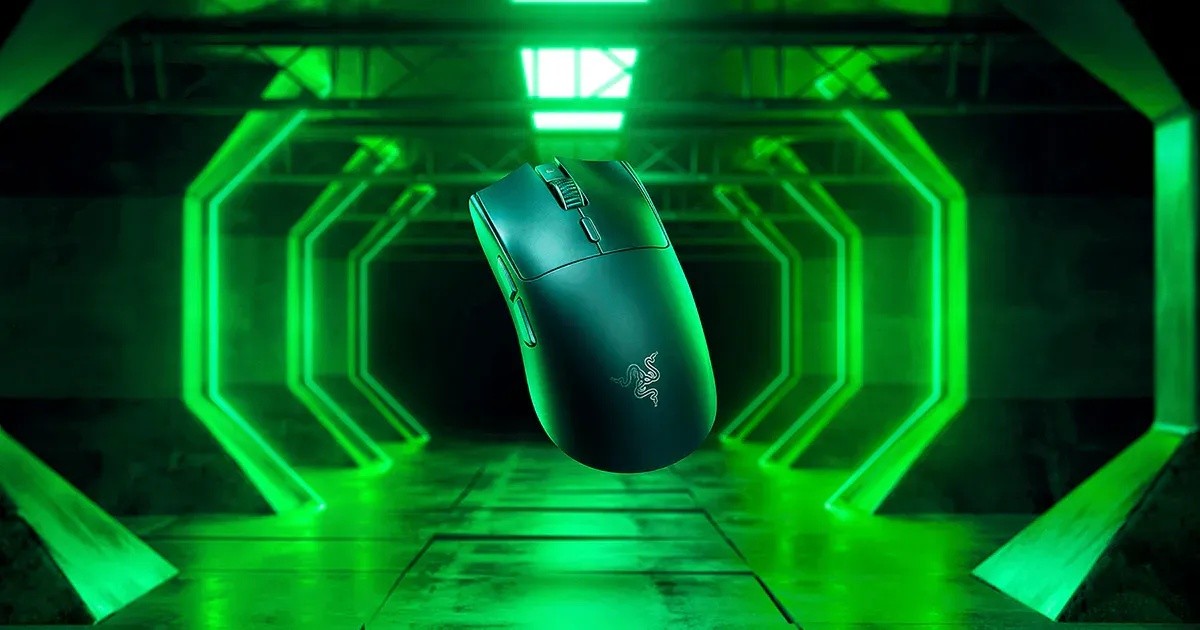
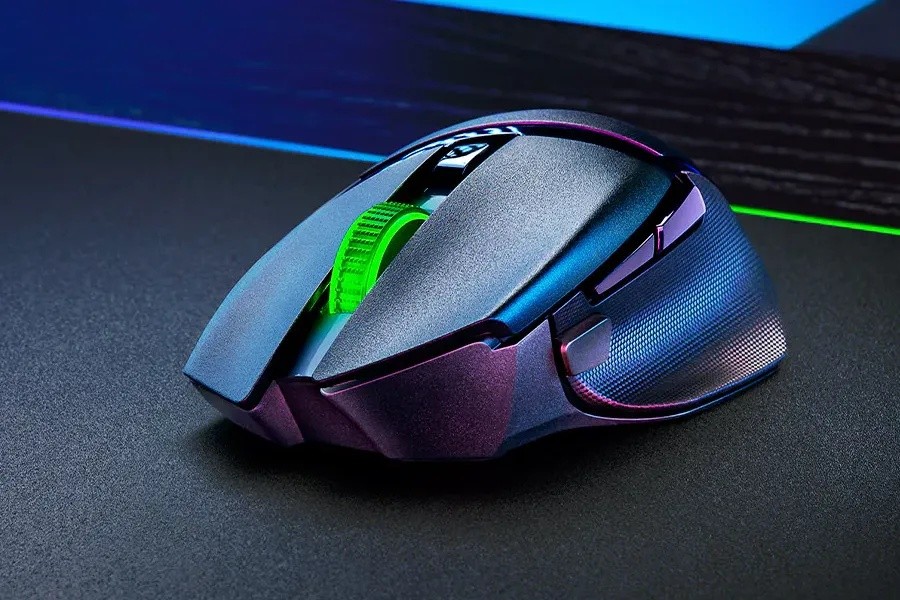
Razer Razer Basilisk V3 Pro
A right-handed ergonomic wireless gaming mouse with a 30K optical sensor, a tilt scroll wheel with three modes, 10+1 programmable buttons and Chroma underglow.
Specifications
| Shape | Right-handed ergonomic |
|---|---|
| Sensor | Focus Pro 30K optical, up to 750 IPS, 70 G, 99.8% resolution accuracy |
| Buttons | 10+1 programmable |
| Scroll | HyperScroll Tilt Wheel, tactile and free-spin modes |
| Switches | Optical Gen-3, up to 90 million clicks |
| Connectivity | HyperSpeed 2.4 GHz, Bluetooth, wired USB-C |
| Battery | Up to 90 h (HyperSpeed) |
| Lighting | 13-zone Chroma RGB with underglow |
| Memory | On-board, 4+1 profiles |
| Weight | 112 g (without cable) |
| Dimensions | 130 x 75.4 x 42.5 mm |
| Launch Price | US$159.99 (August 2022) |
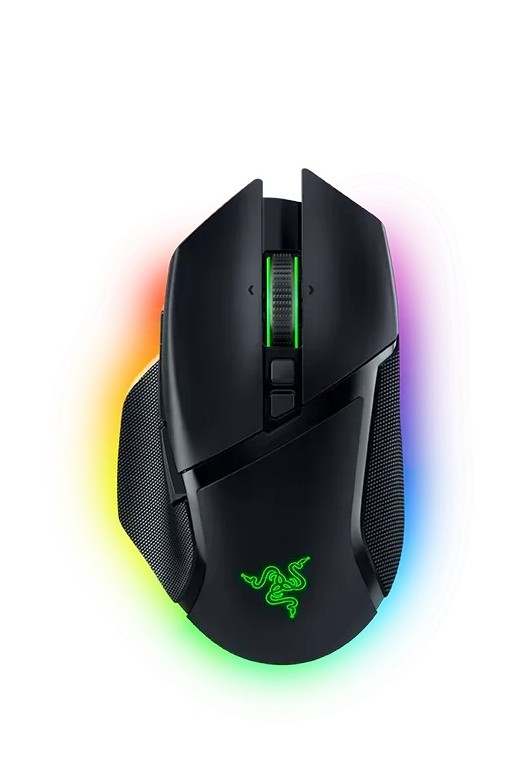
The Razer Basilisk V3 Pro is Razer's feature-heavy ergonomic mouse: a right-handed shape with a thumb rest, a scroll wheel that can free-spin or click in notches, eleven programmable inputs, 13 zones of RGB lighting, and three ways to connect. Razer announced it on 23 August 2022 as its most advanced gaming mouse to date, and the product page still sells it, alongside a newer Basilisk V3 Pro 35K that appears in Razer's menu. This guide is built from Razer's launch announcement and its current product page, and where the two disagree we say so. We have not tested the mouse ourselves; when we quote a performance number it is Razer's own figure.
Shape, size and weight
Razer describes the Basilisk shape as a right-handed ergonomic design with a signature thumb rest that reduces finger drag and smooths flicks, and says it supports different grips. The mouse measures roughly 130 mm long, 75.4 mm wide at the grip and 42.5 mm high, and weighs about 112 g without the cable. It is not a featherweight, and Razer does not pitch it as one. It is a sizeable mouse, so if you prefer very light shells, our guide to choosing between productivity and gaming mice is worth a look. A cover puck on the underside hides a compartment where you can store the wireless dongle.
The scroll wheel: three ways to scroll
The HyperScroll Tilt Wheel is the mouse's signature. It is a four-way wheel, meaning it also tilts left and right, and it is electronically actuated so it can behave in different ways. Tactile cycling mode gives distinct notches, which Razer says suits cycling through weapons or skills. Free-spin scrolling mode lets the wheel spin until it is stopped, for covering long documents quickly. Smart-reel mode, enabled through Razer Synapse, switches automatically from tactile to free-spin when you scroll faster. Virtual Acceleration, another Synapse feature, increases scroll speed the faster you scroll. The wheel's tilt can be programmed just like every other button. For office work with long spreadsheets, that smart-reel behaviour is the part most likely to matter.
Sensor, switches and buttons
The mouse carries the Focus Pro 30K optical sensor, rated at 30,000 DPI, up to 750 inches per second and 70 G of acceleration, with 99.8 percent resolution accuracy according to the launch announcement. It includes Smart Tracking, which auto-calibrates to different surfaces so the lift-off distance stays consistent even on glass, plus Motion Sync and Asymmetric Cut-off. The product page adds a description of the sensor as the world's most precise optical sensor with an asterisk, which is a marketing claim we cannot verify. To understand what DPI and polling rate actually change, read our guide to mouse DPI, sensors and polling rate.
The clicks use Razer Optical Mouse Switches Gen-3, rated for up to 90 million clicks, which Razer says is a durability gain of over 25 percent compared with the previous generation, with no unintended double clicks, no debounce delay and 0.2 ms actuation. Ten plus one programmable buttons are provided, along with on-board memory for four plus one profiles. There is a multi-function trigger button on the left side, which Razer says is not removable but is positioned to avoid accidental presses. Everything is configured in Razer Synapse 4.
Wireless, wired and the polling-rate discrepancy
The Basilisk V3 Pro connects by Razer HyperSpeed Wireless at 2.4 GHz, by Bluetooth, or by cable using the Speedflex USB-C cable. Razer's launch material claimed HyperSpeed was 25 percent faster than other wireless technology; that is a comparison we cannot check. The dongle supports a multi-device feature: one dongle can connect the mouse and a compatible Razer keyboard, which saves a USB port. The product page lists the DeathStalker V2 Pro, the DeathStalker V2 Pro Tenkeyless, the BlackWidow V3 Pro and the BlackWidow V3 Mini HyperSpeed among the keyboards that can pair.
The two Razer sources disagree on high polling. The 2022 announcement said the mouse works with a new 4K Hz HyperPolling Wireless Dongle for a true 4000 Hz wireless polling rate, and that the Mouse Dock Pro had an integrated 4K Hz transceiver. The current product page's FAQ says you can buy the Mouse Dock Pro or the Razer HyperPolling Wireless Dongle to get a true 8000 Hz wireless polling rate. The most reasonable reading is that the accessory has been updated since launch, so check which dongle version you are buying before you assume a number. The current page also warns that you need to plug the dongle or dock directly into a USB port and update the firmware to reach that rate. Both dongle and dock are sold separately.
Battery and wireless charging
Razer lists up to 90 hours of battery life on HyperSpeed. The mouse is Qi-certified when the Wireless Charging Puck is attached, and the puck replaces the cover puck on the underside. To charge without a cable you need a Razer Mouse Dock Pro, which comes with a puck, the HyperFlux V2 Wireless Charging System or the separately sold puck; the product page says other inductive chargers may work with proper coil alignment. At launch the Mouse Dock Pro cost 69.99 US dollars and the Wireless Charging Puck 19.99, both sold separately from the mouse.
Lighting
There are 13 individually programmable Chroma RGB zones including underglow, with 16.8 million colours. Razer says it works with Chroma-integrated games; the 2022 announcement said over 200 and the current page says over 300, so we read that as a count that has grown. You can customise each zone and its effects in Synapse. Lighting is where power drain happens fastest on a wireless mouse, so consider dimming it if battery life matters.
Price, colours and warranty
At launch the Basilisk V3 Pro was priced at 159.99 US dollars or 179.99 euros. That is the only price in the material we read, and it is from 2022, so check the current price. It comes in black and in a white edition. Razer states up to two years of warranty and 14 days of risk-free returns when you buy from RazerStore.
Who should buy it
The V3 Pro suits players who use lots of macro buttons and value the flexible scroll wheel, and office users who want a comfortable big mouse with a quick-scrolling wheel and three connection options. It is less suited to anyone who wants an ultralight mouse, or a mouse that is ambidextrous. If you want a lighter, simpler Razer, compare it with our Razer DeathAdder V3 page, and for a lightweight wireless option look at the SteelSeries Aerox 5 Wireless. For a productivity-first choice, read about the Logitech MX Master 4. You can see every model on the mice category page.