Plugable Thunderbolt 4 13-in-1 Docking Station TBT4-UD5
A flat, low-profile Thunderbolt 4 dock with 13 ports, 96W host charging, dual 4K over HDMI or one 8K screen on its downstream Thunderbolt 4 port.
Specifications
| Host Connection | Thunderbolt 4 (front), 100W Power Delivery (96W certified) |
|---|---|
| Ports | 13: 2x HDMI, 1x downstream Thunderbolt 4 (40Gbps), 2x USB (10Gbps), 2x USB (5Gbps), 1x USB-C (10Gbps), SD and microSD, combo audio jack, Gigabit Ethernet |
| Displays | Up to 2x 4K 60Hz via HDMI, or single 8K via downstream Thunderbolt 4 |
| Power Supply | 134W (21V 6.4A) |
| Dimensions | 23 x 225 x 85 mm |
| Weight | 365 g |
| Cable | 1 m 40Gbps 240W Thunderbolt 4 |
| Warranty | 2 years |
The Plugable TBT4-UD5 is the least expensive Thunderbolt 4 dock in Plugable's own comparison table, and its plainness is part of the appeal. It is a low, flat, dark-grey slab, only 2.3 centimetres tall, with two HDMI outputs, a downstream Thunderbolt 4 port, card slots, four USB-A ports and Gigabit Ethernet. It is meant for someone with a modern laptop who wants two monitors and a tidy desk without paying for every extra a top-end dock offers. This page walks through what Plugable's specification sheet says, what it leaves you to work out, and who should choose the UD5 over its siblings.
What the thirteen ports are
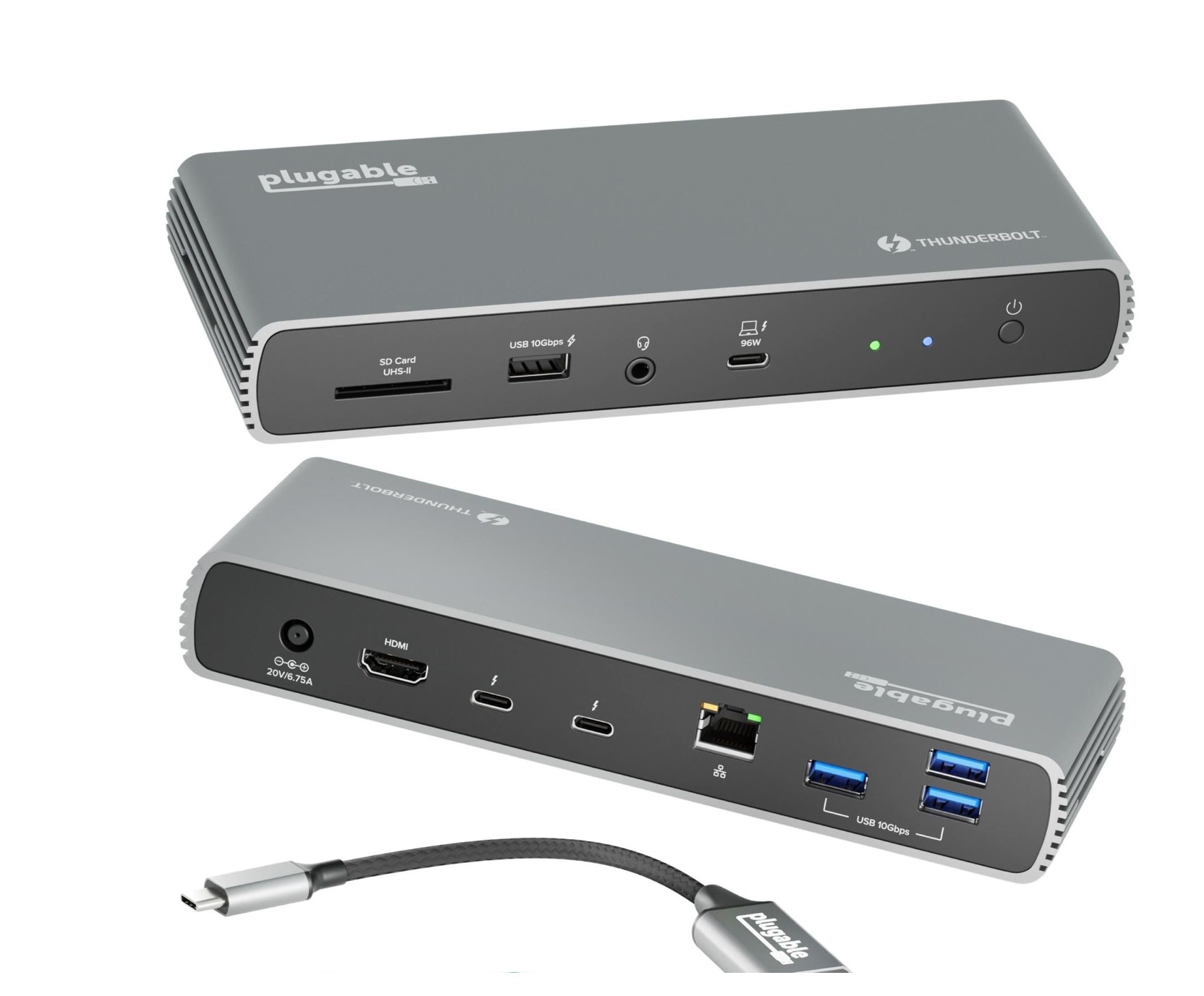
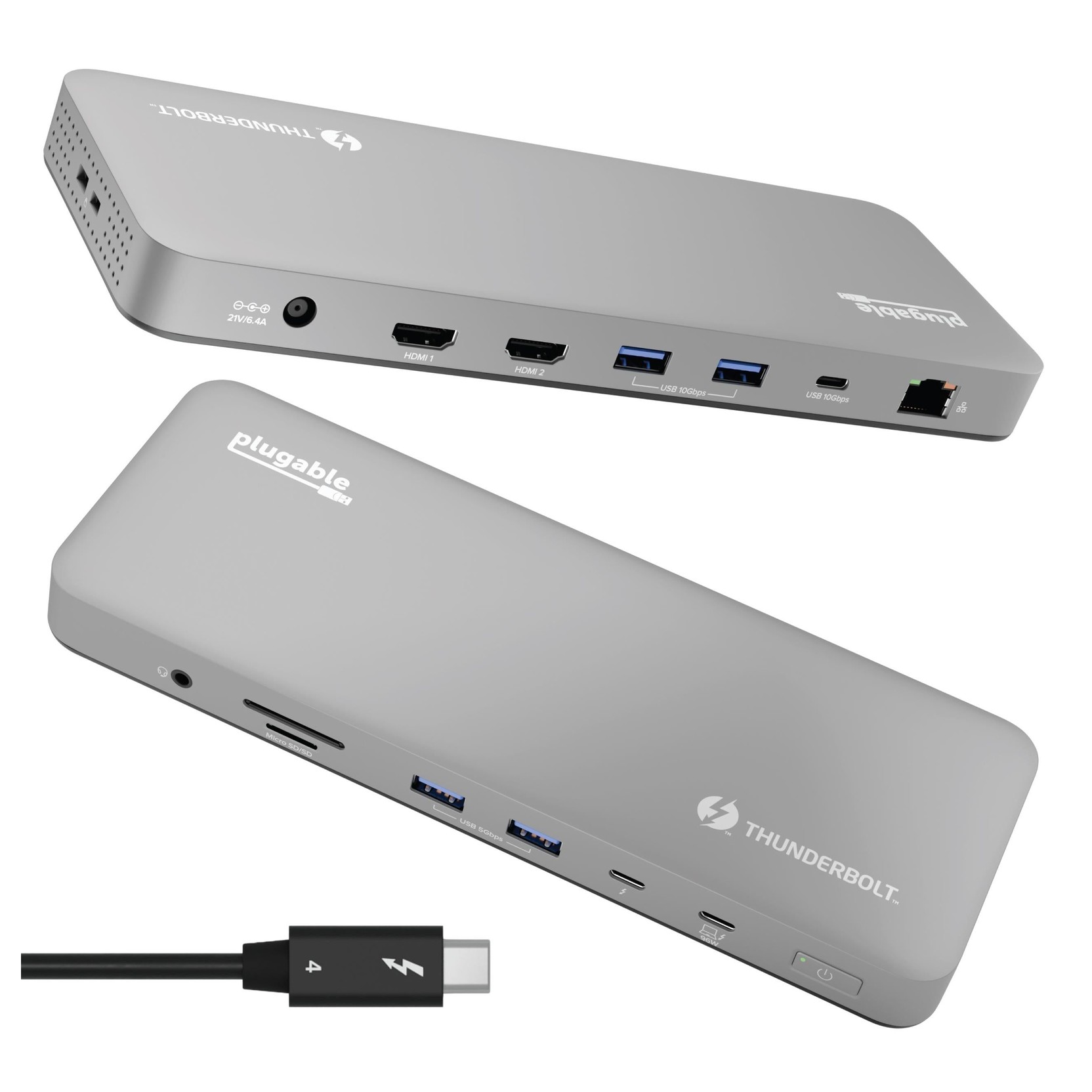
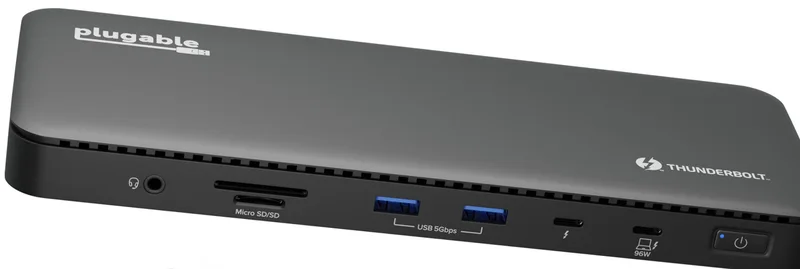
Plugable's headline is "13 ports". Reading the list, they are: the Thunderbolt 4 host port, a downstream Thunderbolt 4 port at 40Gbps, two HDMI outputs, two USB-A ports at 10Gbps on the rear, two USB-A ports at 5Gbps on the front, one USB-C port at 10Gbps on the rear, an SD slot, a microSD slot, a combination audio jack and a Gigabit Ethernet port. The data ports are shared sensibly: front ports for things you plug in and out, such as a memory stick or headset, and rear ports for things that live on the desk. The rear USB-C port offers 7.5W of charging and the USB-A ports 5.5W each, which is enough for a phone or a bus-powered drive. Our docking station buying guide explains how to translate a port list into your own needs.
The downstream Thunderbolt 4 port is the point
What separates the UD5 from cheaper hubs is that downstream Thunderbolt 4 port on the front. Plugable says you can use it for USB-C and Thunderbolt peripherals such as external drives, USB-C monitors, AI enclosures and external GPUs. The port also drives a single 8K display if you connect one. There is a limit worth knowing: when the dock is connected to a Thunderbolt 5 host, Plugable says the downstream port is limited to Thunderbolt 4 speeds. For most desks that is not a limit at all, but if you are shopping for Thunderbolt 5 speeds, read our overview of Thunderbolt 3, 4 and 5 compatibility first. Each Thunderbolt 4 port on the dock is rated for 15W of power to a connected device.
Displays: two HDMI, or one 8K
The two HDMI outputs each handle up to 4K resolution at up to 60Hz, and the maximum total is two displays. Plugable also says up to 8K video is supported through the downstream Thunderbolt port, again within a total of two displays. On a Windows 10 or later laptop with Thunderbolt 4, Thunderbolt 5 or USB4, dual-display support is driverless. On a Mac, Plugable says two displays need an M4 or M5 chip, or a Pro or Max chip from the M1, M2 or M3 generations. Base M1, M2 and M3 chips support a single external display, though the page adds that a base M3 can drive two in clamshell mode. Windows laptops with only Thunderbolt 3, and USB-C laptops without Thunderbolt, are limited to one display. This is more restricted than the four-display capability of the pricier Plugable TBT4-UDZ, so decide up front how many screens you actually plan to run.
Power: 96W to the host
The dock uses a power adapter rated at 21V and 6.4A, about 134W, and Plugable lists host charging at 100W of USB Power Delivery, certified at 96W. If your laptop asks for less, the dock sends less. The caveat repeats across Plugable's range: gaming and other high-performance laptops may not charge properly from a dock, so a machine with a big charger should keep it. Also check that the host port supports Power Delivery input; not every port does.
Networking and card reader
Ethernet is Gigabit on a Realtek RTL8153B chip, with Wake-on-LAN, Energy-Efficient Ethernet and 9K jumbo frames. On Windows you may optionally install a newer Ethernet driver for best performance. The card reader accepts full-size SD and microSD and is listed at UHS-II bus speed, 312 MB/s. If you have a camera with a UHS-II card, that is a useful bonus in a dock at this price.
Size, weight and box contents
The dock measures 2.3 x 22.5 x 8.5 centimetres and weighs 365 grams, which is light enough to tuck under a monitor stand or slide behind a laptop riser. It lies flat; the vertical option belongs to the more expensive dock. In the box you get the dock, a power adapter and power cable, a quick start guide and a 1-metre Thunderbolt 4 cable rated at 40Gbps and 240W. Setup is simple: connect the power adapter, wait for the orange LED on the power button, connect the Thunderbolt 4 cable to the front host port and your laptop, and watch the LED turn blue. On Windows, approve the new device in the Thunderbolt Control Center if asked, and on Apple Silicon Macs with macOS 13 or later, approve the accessory when macOS prompts you. Once a dock is in place, good desk cable management keeps the cables behind it from tangling.
How it compares with its siblings
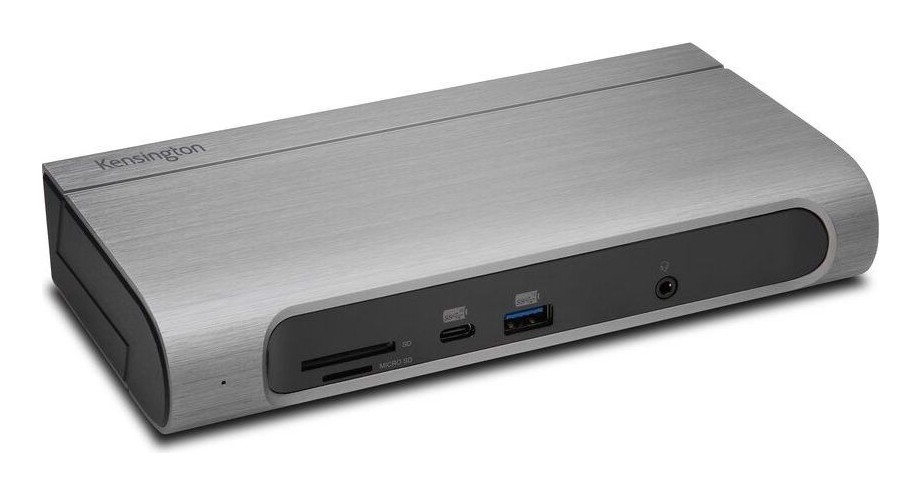
Plugable's comparison table sets the UD5 at 199.95 dollars against the TBT4-UDZ at 289.99, the TBT4-UDX1 at 249.95 (out of stock when we read the page) and the TBT-6950PD at 319.99. The UDZ adds ports, a 2.5Gbps Ethernet jack and up to four displays on Windows. The UDX1 has two downstream Thunderbolt ports and 2.5Gbps Ethernet. The 6950PD has three downstream Thunderbolt ports and can work with USB-C hosts. The UD5 sits at the bottom for price and at the middle for Thunderbolt. Outside Plugable, the Kensington SD5000T5 EQ is another dock that places a lot of weight on Thunderbolt connectivity, so it is a useful comparison if you plan a multi-device desk. If you want the widest view, our guide to multi-monitor setups covers the trade-offs of adding more screens.
Who should buy it
Choose the UD5 if you use a Windows Thunderbolt 4 or USB4 laptop, or a Pro or Max Mac, and want two HDMI monitors, one Thunderbolt port for a fast drive, and simple wired networking at a modest price. Choose something else if you need DisplayPort outputs, more than two displays, 2.5Gbps Ethernet or a vertical stand. Note also that Linux and ChromeOS support are not mentioned on the page we read, so do not assume them.
Price and warranty
Plugable lists the TBT4-UD5 at 199.95 dollars and backs its products with a two-year warranty and lifetime technical support. Prices change, so verify the current amount before ordering.
The short version
The TBT4-UD5 is a compact, sensible Thunderbolt 4 dock with a genuine downstream Thunderbolt port and dual 4K support on capable hosts. It does not try to do everything, and that is why it works for a lot of desks.