Razer Razer Huntsman V3 Pro
A wired full-size esports keyboard with analog optical switches, Rapid Trigger, Snap Tap, 0.1 to 4.0 mm adjustable actuation, a multi-function dial and a magnetic leatherette wrist rest.
Specifications
| Layout | Full size (US layout); TKL and 60% variants also exist |
|---|---|
| Switches | Razer Analog Optical Switch Gen-2, 100 million keystrokes |
| Actuation | Adjustable 0.1 to 4.0 mm; 40 g actuation force |
| Features | Rapid Trigger (reset as low as 0.1 mm), Snap Tap, analog input, dual-step actuation |
| Connectivity | Wired, detachable USB Type-C cable |
| Polling Rate | 1000 Hz |
| Memory | Hybrid on-board storage for up to 6 profiles |
| Controls | Multi-function digital dial and 3 dedicated buttons |
| Keycaps | Textured doubleshot PBT |
| Case | 5052 brushed aluminum alloy top case |
| Wrist Rest | Magnetic firm leatherette |
| Lighting | Razer Chroma RGB |
| Warranty | Up to 2 years |
The Razer Huntsman V3 Pro is a wired, full-size keyboard aimed squarely at competitive players. Its pitch is control over the exact moment a key counts as pressed, and over the moment it counts as released. Razer builds the board around its second-generation analog optical switches, adds a feature called Rapid Trigger and an input rule called Snap Tap, and wraps the whole thing in an aluminum top plate with a magnetic wrist rest. This guide is based on Razer's product page and its specification data. We have not tested the keyboard, so everything below is what the manufacturer states, with our own notes on what it means in use.
Analog optical switches, generation two
Standard mechanical switches work like a light switch: a key either has crossed a fixed point or it has not. The Huntsman V3 Pro uses Razer Analog Optical Switches Gen-2, which, as the company explains in its FAQ, use optical sensing to avoid debounce delay and can also detect how far a key is pressed. That depth information is what allows the headline features. Razer states a 100-million keystroke lifespan, a very light 40 gram actuation force and an adjustable actuation range from 0.1 mm to 4.0 mm. The analog signal can also be used as an input in its own right, so the board can send gradual values like a controller thumbstick, which suits driving and flight games that read how far you push. If you want a primer on how switch types differ in feel and sound, our guide to mechanical keyboard switches explains the families, and it helps to read it before deciding whether a light, adjustable switch suits you.
Rapid Trigger and adjustable actuation
With an ordinary switch, a key has to travel upward past a fixed reset point before it can register again. Rapid Trigger removes that fixed point. The key resets the moment it moves upward, with sensitivity as low as 0.1 mm, so repeated taps can come faster than on a standard keyboard. Razer says this matters most in first-person shooters where moving makes you less accurate, because you can stop your movement sooner. Adjustable actuation lets you decide how deep a press must go. A short setting, close to 0.1 mm, makes a key fire at the lightest touch. A deeper setting, around 2.0 mm, requires deliberate pressing and cuts down on accidental inputs, which is useful for typing. The page also shows dual-step actuation as a listed feature, though it does not explain it in detail. One caveat from the FAQ: Rapid Trigger is not available on the Factory Default profile, which is set to a 2.0 mm actuation point with Rapid Trigger off and is meant for typing and general use.
Snap Tap
Razer Snap Tap prioritizes the latest input between two selected keys without requiring you to release the earlier one. By default the A and D keys are paired. If you hold A and then press D, the keyboard acts on D immediately, giving near-instant changes of direction. Snap Tap is off by default and can be toggled with FN plus Left Shift or through Razer Synapse, and the paired keys light up white when it is on and red when it is off. It works together with Rapid Trigger. This is an input rule that some game communities debate, so check the rules of any tournament or game you play before enabling it. For general play it is simply another option.
Quick onboard adjustments
You do not have to open software to tune the board. An LED array indicator provides visual feedback while you adjust. Press FN plus Tab to start the actuation adjustment mode, press any key to test its height and use the digital dial or arrow keys to change it, then press Esc to save to onboard memory. FN plus Caps Lock enters the Rapid Trigger adjustment mode in a similar way. The board stores up to six profiles in hybrid on-board storage, with two presets that cannot be changed and four you can customize, and they can be switched with hotkeys. A last-used Synapse profile is remembered as well and shown by a white profile light. This is handy at tournaments or on a friend's PC, where you may not be able to install anything.
Dial, buttons and layout
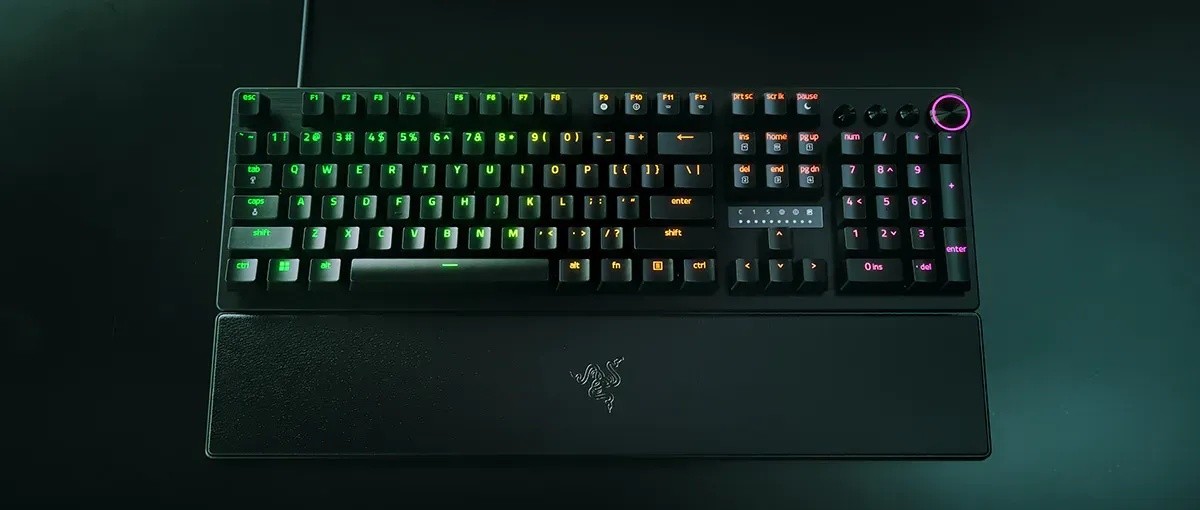
A multi-function digital dial handles volume and the analog settings, backed by three dedicated buttons for media control and custom macros. The keyboard is full size with a number pad and US layout, standard height, and has no USB pass-through port. Keys are fully programmable with on-the-fly macro recording, and the board supports N-key rollover with anti-ghosting and a 1000 Hz polling rate. Razer Chroma RGB lighting is built in. The page also lists Razer Synapse support and a Gaming Mode. Razer sells the line in tenkeyless and 60 percent sizes and in white and Counter-Strike 2 editions, which the page lists as variants, though the full-size model here is the one with the dial and wrist rest.
Build quality
The top case is a 5052 brushed aluminum alloy that Razer describes as aircraft grade and resistant to warping. The keycaps are textured doubleshot PBT, which resists shine and fading better than typical ABS plastic. A magnetic firm leatherette wrist rest snaps onto the front for support during long sessions. The cable is a detachable USB Type-C cable, which makes travel and replacement easier. Razer gives up to two years of warranty on the product.
What the page does not state
The page does not give dimensions or weight in the portions we read, nor the exact length of the cable. It does not give a base price clearly, since the price figures in the page data are ambiguous between variants, so we leave the price blank. It also mentions an official Marvel Rivals profile and a Battlefield 6 recommendation, which are game-specific configuration tips rather than features of the hardware.
How it compares
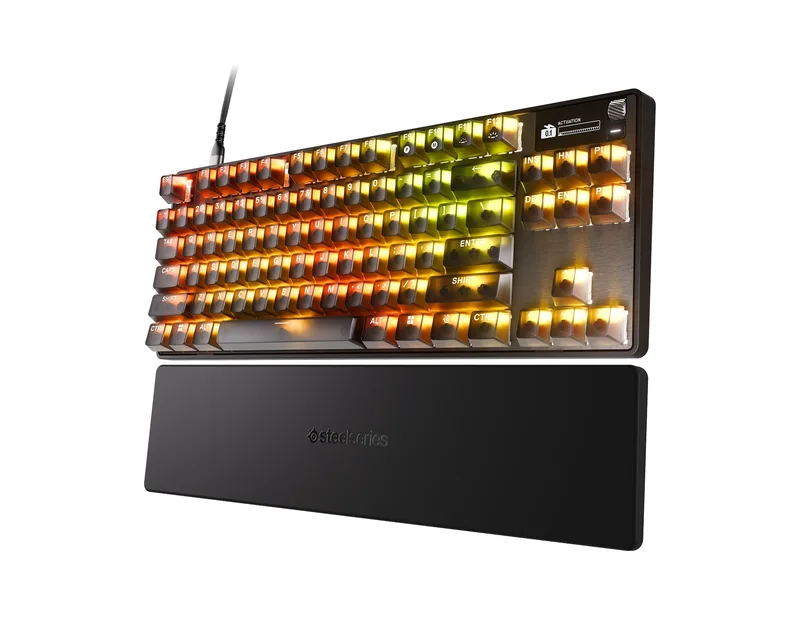
Hall-effect and optical analog keyboards are now a crowded field. The Wooting 60HE+ is the compact model many players think of first for adjustable actuation, while the SteelSeries Apex Pro TKL brings adjustable switches and a small display. For a more general look at what changed in the category this year, our article on mechanical keyboards in 2026 is a useful companion, and our review of the Razer BlackWidow V4 Pro shows how the same maker handles a very different, feature-heavy design. You can see every model on our keyboards page.
Our take
The Huntsman V3 Pro is a focused tool. Its strongest ideas are the combination of Rapid Trigger and adjustable actuation, the ability to tune settings on the board itself and the sturdy aluminum build with a proper wrist rest. If you play fast shooters and value fine control, it belongs on the shortlist, and the 2.0 mm default profile makes it a reasonable everyday typing keyboard too. If you mostly type and care about acoustics or wireless freedom, a different board will serve you better, because this one is wired, full size and designed with esports in mind. Confirm the current price with Razer before buying.