Mechanical Keyboard Switches Explained: Linear vs. Tactile vs. Clicky
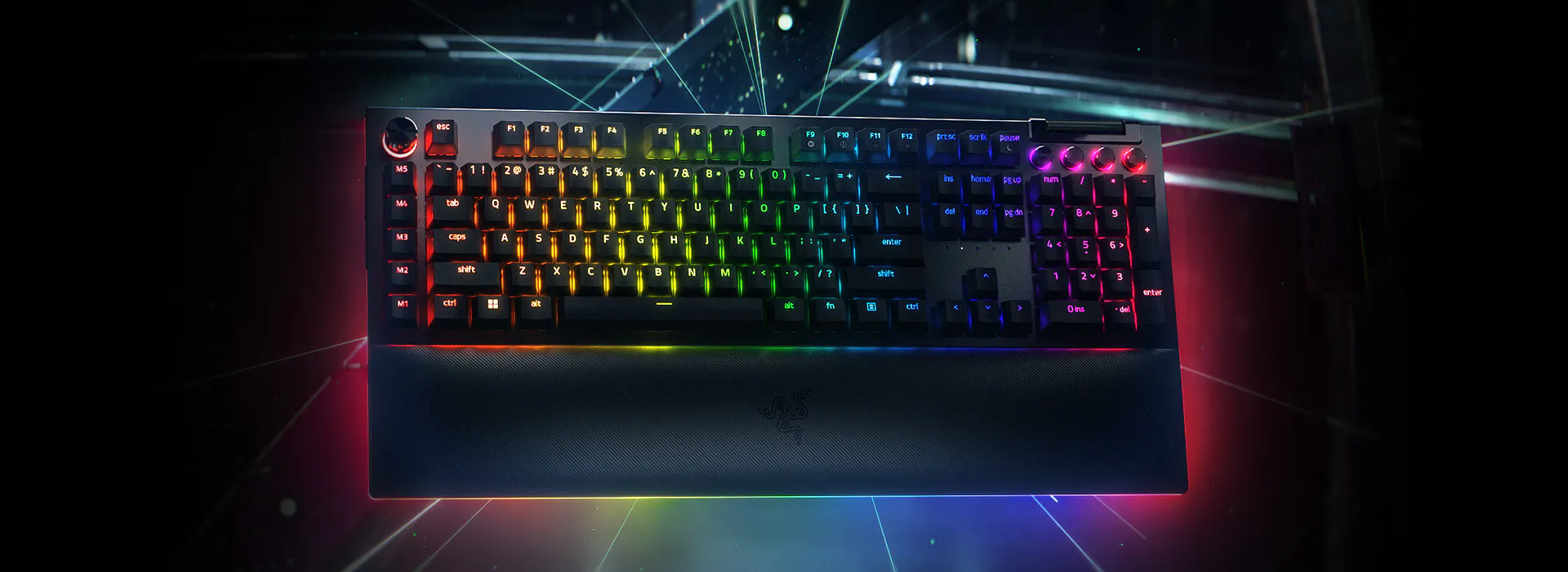
"Mechanical keyboard" gets thrown around as if it were one thing, but the switch underneath each key is really the whole product — it decides how the keyboard feels, sounds, and even how fast you can react in a game. This guide breaks down the three core switch families (linear, tactile, and clicky) and how they compare to a modern membrane keyboard, using the real switch options on the Razer BlackWidow V4 Pro as a concrete reference point rather than abstract theory.
Linear switches: smooth and fast
A linear switch, like Razer's Yellow switch option, moves straight down with no bump and no audible click — just smooth, consistent resistance from the top of the keystroke to the bottom. That uninterrupted travel is exactly why linear switches are the default recommendation for fast-paced gaming: there's nothing physically interrupting the press, so double-taps and rapid key sequences feel more predictable, and many linear switches are tuned with a lighter actuation force specifically to reward quick, repeated inputs. The trade-off is typing feedback — without a bump, it's harder to feel exactly when a keypress has registered, which some typists find leads to more bottoming-out (pressing all the way to the bottom of the switch on every stroke) and, over long typing sessions, slightly more finger fatigue than a tactile switch.
Tactile switches: a felt bump, no noise spike
Tactile switches, Razer's Orange option in the same keyboard family, add a small physical bump partway through the keystroke that you can feel but not really hear — the audible click is largely absent, so a tactile board sounds close to a linear one but types noticeably differently. That bump acts as built-in feedback: your finger feels the exact point of actuation, which many people find speeds up accurate typing once you've adapted to it, since you stop needing to bottom out every key just to confirm a press registered. Tactile is often described as the middle-ground choice — not as fast-feeling as linear for gaming, not as satisfying-sounding as clicky for typing enthusiasts, but a genuinely strong all-rounder for anyone who splits their day between office work and gaming on the same keyboard.
Clicky switches: feedback you can hear and feel
Clicky switches, like Razer's Green option, combine the tactile bump with an audible click generated by a separate internal click mechanism, giving unmistakable feedback both through your fingertip and your ears. Typists who grew up on old office keyboards or classic mechanical typewriters often gravitate toward clicky switches specifically because that dual feedback feels the most confirming — you know a key registered without even having to look at the screen. The obvious downside is volume: a room full of clicky keyboards is genuinely loud, which makes them a poor fit for shared offices, video calls, or late-night gaming sessions next to a sleeping partner, even though many typists consider the sound itself part of the appeal rather than a flaw.
How mechanical compares to membrane
A membrane keyboard, like the Logitech G15 Gaming Keyboard (2nd Gen), uses a rubber dome under each key instead of an individual mechanical switch — pressing a key compresses the dome against a circuit membrane, which is quieter and cheaper to manufacture but has a mushier, less precise feel and a shorter practical lifespan, since rubber domes wear out and lose consistent resistance faster than mechanical switches rated for tens of millions of keystrokes each. Where membrane keyboards genuinely compete is value and extra features per dollar: the G15's 160x43px GamePanel LCD and 18 total programmable macro states across its G-keys deliver functionality a similarly priced mechanical board often can't match, even if the raw per-key feel is a step behind. For a deeper side-by-side on this exact trade-off, our mechanical vs. membrane keyboard guide covers the full comparison.
Actuation force, travel distance, and durability
Beyond the linear/tactile/clicky split, two numbers matter for feel: actuation force (how much pressure it takes to register a keypress, measured in grams) and total travel distance (how far the key physically moves). Lighter actuation forces, common on gaming-tuned linear switches, favor speed but can increase accidental keypresses for heavy-handed typists; heavier switches reduce mis-presses at the cost of finger fatigue over long sessions. Mechanical switches are also rated for durability in a way membrane keyboards rarely are — the 8000Hz Hyperpolling polling rate on the BlackWidow V4 Pro is a separate spec from switch durability, but it illustrates the broader pattern: mechanical keyboard components are engineered and rated to a precision membrane keyboards simply don't target, because the switch itself is the product's core selling point rather than a cost-minimized component.
Hot-swappable switches: trying before fully committing
Many modern mechanical keyboards, including hot-swap-socket models in the BlackWidow line, let you physically remove and replace individual switches without soldering — pull one Yellow linear switch out and drop in a Green clicky one to compare them directly, on your own keyboard, typing your own text. This has become one of the most practical ways to actually decide between switch types instead of relying purely on written descriptions or YouTube typing-sound videos, since switch feel is genuinely personal and the "right" answer depends on hand size, typing style, and how much you value quiet operation versus tactile or auditory feedback.
Which switch type should you buy
If gaming speed is the priority and you don't mind a slightly less confirming typing feel, a linear switch is the straightforward pick. If you split time between serious typing and gaming and want one keyboard that does both reasonably well, tactile switches are the safest all-around choice. If you type far more than you game, work somewhere noise doesn't matter, and genuinely enjoy the sound and feel of a classic mechanical board, clicky switches remain deeply satisfying despite being the least office-friendly option. And if budget or extra features like a built-in LCD matter more than switch-level precision, a well-built membrane keyboard is still a legitimately good option rather than a compromise — check our 2026 mechanical keyboard trends roundup for how the category has evolved recently before deciding.