Mechanical vs. Membrane Keyboards: Which Switch Type Fits Your Desk?
The single biggest decision in choosing a new keyboard usually isn't brand or RGB lighting — it's the underlying switch technology, since that determines how the keyboard actually feels under your fingers for every keystroke of every day you use it.
How membrane keyboards work
Membrane keyboards, like the Logitech G15 Gaming Keyboard, use a rubber dome layer beneath the keycaps that collapses to complete an electrical circuit when pressed. This design is cheaper to manufacture, generally quieter than mechanical switches, and tends to be more resistant to dust and spills since there are fewer separate moving mechanical parts per key. The trade-off is feel: rubber domes have a mushier, less consistent actuation point than a mechanical switch, and the dome material itself degrades and feels softer over years of heavy use.
How mechanical keyboards work
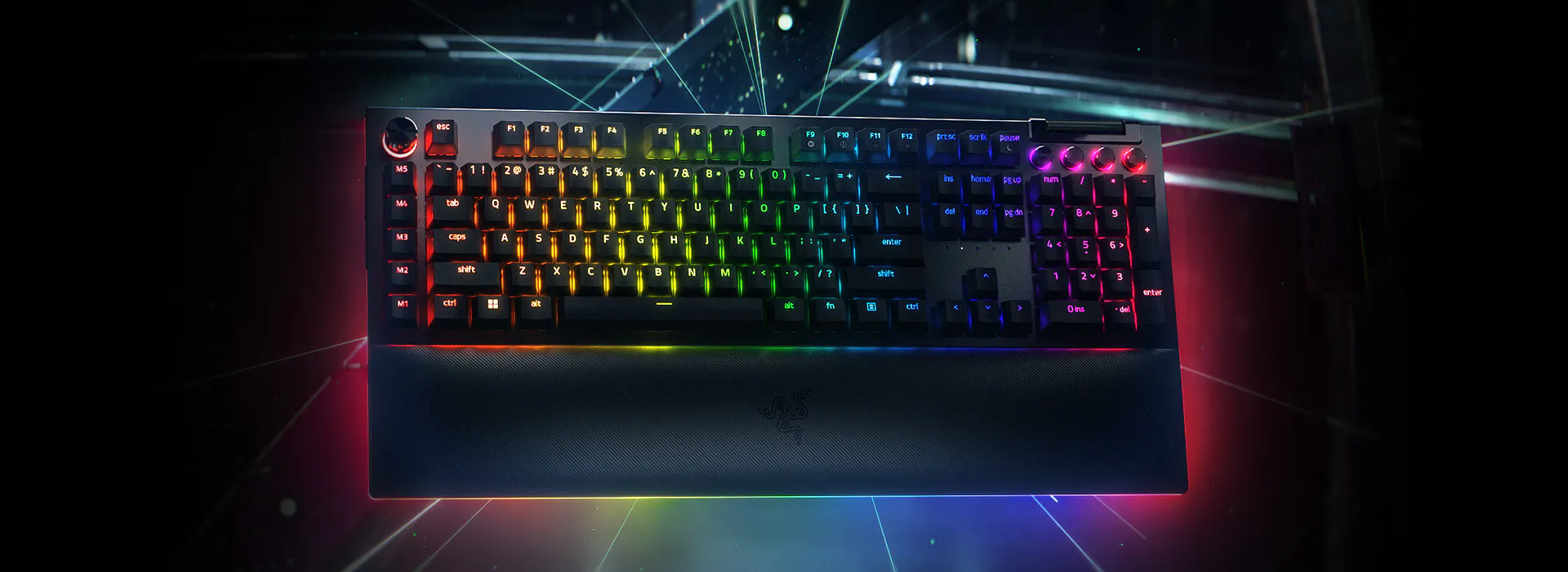
Mechanical keyboards, like the Razer BlackWidow V4 Pro, use an individual physical switch under every key, each with its own spring and contact mechanism. This gives a far more consistent, precise actuation point — you can feel or hear exactly when a keystroke registers — and mechanical switches are rated for tens of millions of keystrokes per key, generally far outlasting membrane domes. Modern mechanical keyboards, including hot-swappable models like the BlackWidow V4 Pro, also let you physically change the switches later without soldering, letting you fine-tune feel over time.
Clicky, tactile, or linear?
Within mechanical switches there are three broad feel categories. Clicky switches (like Razer Green, or Cherry MX Blue) give an audible click and a tactile bump at the actuation point — satisfying for typing, but loud enough that they're a poor choice in shared offices or thin-walled apartments. Tactile switches (Cherry MX Brown-style) keep the tactile bump but remove the audible click, a middle-ground pick for open offices. Linear switches (Razer Yellow, Cherry MX Red-style) have no bump and no click at all, just a smooth, consistent press — generally preferred for fast gaming inputs where a physical bump can theoretically slow rapid repeated presses.
Programmability and extra controls
This is one area where the gap between budget membrane and premium mechanical keyboards can be large regardless of switch feel: dedicated macro keys, a physical volume/scroll dial, and per-key or per-zone RGB lighting are far more commonly found on higher-end mechanical boards. The BlackWidow V4 Pro, for example, includes a Command Dial and eight assignable macro controls alongside its switches — features simply absent on most membrane keyboards at any price.
So which should you buy?
If budget is the primary constraint, or you want something quiet and durable enough for shared spaces without much fuss, a well-built membrane keyboard remains a completely reasonable choice for everyday typing and casual gaming. If typing feel, keystroke consistency over years of heavy use, and extra programmable controls matter to you — and you can tolerate more noise, particularly with clicky switches — a mechanical keyboard is worth the higher price, and hot-swappable models give you room to adjust the switch feel later without buying an entirely new board.
Typing speed and accuracy: does switch type actually matter?
Independent typing tests generally show that switch type has a smaller effect on raw words-per-minute than personal familiarity and practice, but mechanical switches — particularly tactile and clicky types — tend to produce more consistent actuation feedback, which can reduce mis-keys for touch typists who rely on feeling exactly when a key registers rather than bottoming out every keystroke. For gaming specifically, the difference is more measurable: linear switches with no tactile bump generally allow for marginally faster repeated actuation in rhythm-dependent or rapid-tap game inputs, which is part of why competitive gaming keyboards lean toward linear switch options.
Keycap material matters almost as much as the switch
A frequently overlooked factor in keyboard feel and longevity is keycap material. Cheaper membrane and even some mechanical keyboards use ABS plastic keycaps, which develop a visible shine on frequently-pressed keys (WASD, spacebar, common letters) within a year or two of daily use as the surface texture wears smooth. PBT plastic, used on higher-end mechanical keyboards including the BlackWidow V4 Pro, resists this shine far longer and generally feels slightly more textured and premium under the fingertip from day one.
Sound dampening: getting mechanical quiet enough for shared spaces
For anyone drawn to mechanical switches' feel but concerned about noise in a shared office or household, a few options exist short of switching to membrane entirely: choosing linear switches over clicky ones removes the loudest single noise source, aftermarket switch films and lubrication can reduce the "clack" resonance considerably (though this requires more hands-on modification than most buyers want to do), and keyboards with foam dampening layers built into the case (a feature increasingly common on mid-range and premium mechanical boards) meaningfully reduce hollow-sounding key bottom-outs regardless of switch type chosen.
Making the final decision
If you've never used a mechanical keyboard and are curious, hot-swappable models like the BlackWidow V4 Pro are a particularly good entry point precisely because they remove the biggest risk of a mechanical purchase — being stuck with a switch feel you end up disliking — by letting you try the stock switches and swap to something else later without any additional cost beyond the replacement switches themselves. If your priority is simply a reliable, quiet, inexpensive keyboard for general use and light gaming, a well-reviewed membrane board remains a perfectly sound choice, and the switch-technology decision matters far less than most enthusiast discussion of the topic suggests for casual, non-competitive use.
A quick decision checklist
Choose membrane if: budget is the top priority, you share a workspace and noise matters most, or you type/game casually without strong opinions on tactile feedback. Choose mechanical if: you type or game for many hours daily and want the most consistent, durable feel available, you value the ability to customize or later swap switches, or extra programmable controls (macro keys, dials, dedicated media buttons) matter to your workflow. Choose hot-swappable mechanical specifically if you're unsure which switch feel you'll prefer long-term, since it removes the biggest risk of committing to the wrong feel on a first mechanical purchase.