Corsair K100 RGB Optical-Mechanical Gaming Keyboard
Corsair's flagship wired keyboard: OPX optical-mechanical switches with 1.0 mm actuation, 8,000 Hz polling, an iCUE control wheel, six macro keys and a magnetic palm rest.
Specifications
| Form Factor | Full size with 6 macro keys, 110-key matrix |
|---|---|
| Switches | CORSAIR OPX optical-mechanical linear, 1.0 mm actuation, tested for 150 million strokes |
| Polling | Up to 8,000 Hz hyper-polling, 4,000 Hz key scanning |
| Lighting | Per-key RGB plus 44-zone LightEdge |
| Controls | iCUE control wheel, volume roller, dedicated media keys |
| Keycaps | PBT double-shot, 1.5 mm; FPS and MOBA keycap sets |
| Storage | 8 MB, up to 200 onboard profiles |
| Wrist Rest | Magnetic detachable, memory foam |
| Connectivity | Wired, 2x USB Type-A (1 USB 2.0 pass-through) |
| Weight | 1.293 kg |
| Warranty | 2 years |
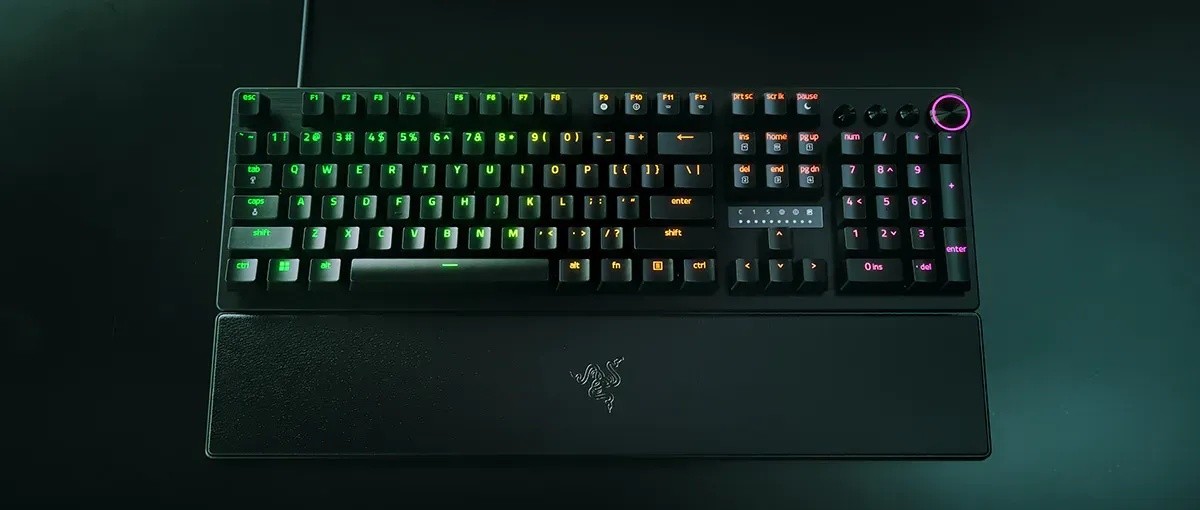
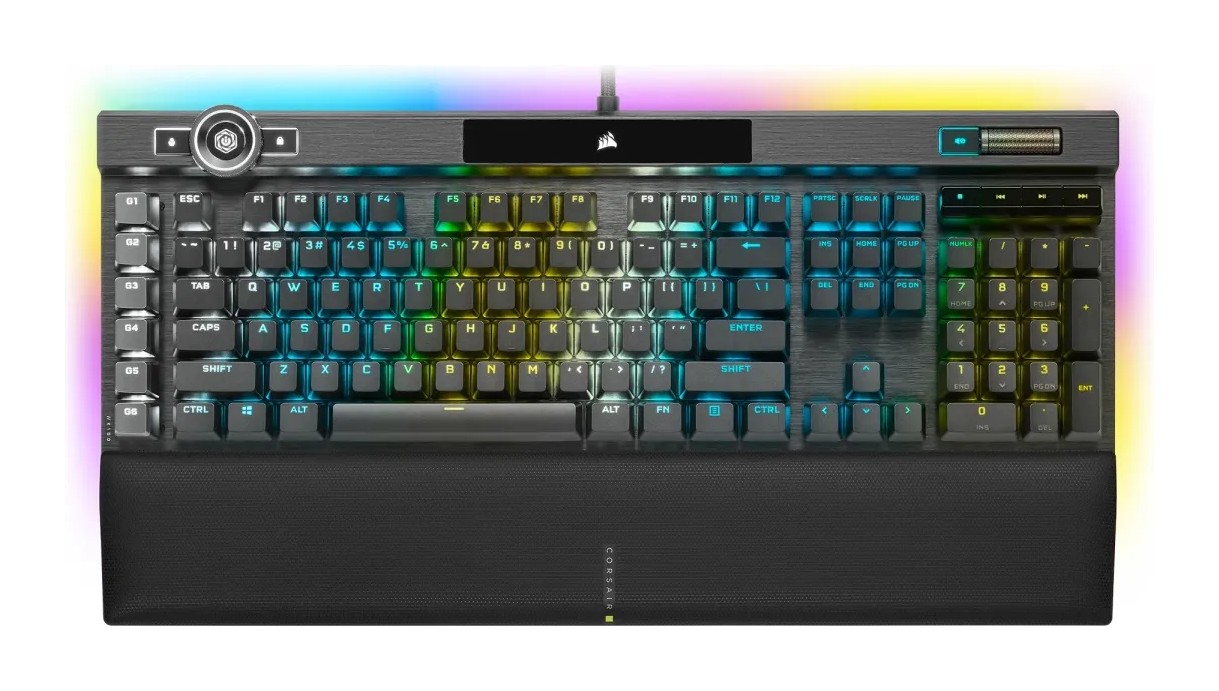
The Corsair K100 RGB Optical-Mechanical Gaming Keyboard is the sort of keyboard that reads more like a control panel than a typing tool: an aluminium frame, a three-sided RGB light bar, a programmable wheel in the corner, a column of six macro keys and a switch that Corsair built itself. Its page tags it a best seller, and it was listed at $289.99 with the OPX version marked out of stock when we read it. This page goes through the specifications as Corsair publishes them, explains the terms in plain language, and helps you decide whether a large, wired, feature-heavy keyboard is right for your desk or whether a lighter compact board would serve you better.
OPX optical-mechanical switches
The K100 RGB's headline feature is its OPX switch. Corsair describes OPX as an exclusive optical-mechanical keyswitch with smooth linear travel and a very short actuation distance of 1.0 mm, and says the switches were tested for 150 million keystrokes. The product page highlights "8x faster responsiveness", which lines up with the 8,000 Hz polling rate compared with 1,000 Hz on a typical board such as the K65 PLUS WIRELESS from the same maker. In an optical switch, a light beam rather than a metal contact detects the press, and the switch type is listed as optical on the specification sheet. A detail worth knowing: the product page also lets you select a Cherry MX Speed version, so the K100 RGB was sold in two switch options; the listing we read, with the OPX switch, was the one marked out of stock. If you want to understand what linear, tactile and clicky mean before you decide, our switch guide is the place to start.
Corsair AXON: 8,000 Hz polling and 4,000 Hz key scanning
Corsair says its AXON hyper-processing technology enables the company's most advanced gaming keyboard experience, with 8,000 Hz hyper-polling and 4,000 Hz key scanning, while the keyboard also drives lighting effects with up to 20 layers. Polling rate is how often the keyboard reports to the computer, and key scanning is how often it checks the keys. Whether you can feel the difference between 1,000 Hz and 8,000 Hz depends on your game and your own reactions, and Corsair does not claim a specific latency figure on the page, so we would treat it as headroom rather than a guarantee of a better result. The keyboard supports full key rollover, listed as N-key rollover, so every key press registers however many keys you hold at once.
The iCUE control wheel and dedicated media controls
The multi-function iCUE control wheel is the K100 RGB's signature. Corsair lists it as controlling backlighting, media track jogging, brightness, application switching, zoom and custom modes, and says it is fully programmable to perform custom actions in games and applications. Alongside the wheel there is a volume roller and dedicated media keys, so the specification sheet lists media keys as dedicated hotkeys, a volume roller and the iCUE control wheel. For streamers, six dedicated macro keys can be programmed in iCUE for complex macros and key remaps, or configured for special streaming commands through Elgato Stream Deck software, which Corsair links from the page. The keyboard also has a USB pass-through port (USB 2.0 Type-A) for a mouse or headset. A Windows key lock is available through a dedicated hotkey.
Lighting: LightEdge and per-key RGB
The keyboard has per-key dynamic RGB backlighting and a 44-zone, three-sided RGB LightEdge that runs around the frame. Corsair shows effects called Rain, Watercolour, Color Shift, Rainbow Wave Up and Visor. The frame itself is aluminium, described as durable. Lighting is controlled through iCUE, and the keyboard stores its settings in its own memory: 8 MB of onboard storage that holds up to 200 profiles with custom macros, settings and lighting layers, though the specification adds that the actual number depends on how complex the profiles are.
Keycaps and palm rest
The keycap set is PBT double-shot, precision moulded to resist wear, fading and shine, and 1.5 mm thick, with a standard bottom row layout so you can replace them with other sets. Corsair includes extra textured keycaps for FPS and MOBA games, along with a keycap puller. The detachable palm rest attaches magnetically, with a soft-textured, leatherette-covered surface and memory foam cushioning. It is included in the box, and Corsair also sells it as a replacement for $24.99 and a G-key keycap kit for the macro keys for $9.99. Underneath, cable routing channels help you keep the desk tidy. Our cable management guide shows what to do with the two USB plugs that come from this keyboard.
Connection, compatibility and size
The K100 RGB is a wired keyboard. The specification lists two USB 3.0 or 3.1 Type-A connectors, one for the keyboard and one for the pass-through, and a braided cable. It works with a PC or Mac that has two USB ports, on Windows 10 or macOS 10.15 or later, and you need an internet connection to download iCUE. The layout is North American, the key matrix has 110 keys and the form factor is listed as extended with macro keys. The height is adjustable. The weight is listed as 1.293, with no unit on the page, and we read that as kilograms, which fits a full-size aluminium-framed keyboard with a palm rest. The warranty is two years.
What to know before buying
Three practical points follow from the specification. First, the keyboard needs two USB ports, so plan for a dock or a hub if your computer is short on ports. Second, the size is that of a full-size keyboard plus a macro column plus a wheel, so it takes up a lot of desk; our mechanical versus membrane guide helps you decide what type of keyboard you want before you weigh a large one. Third, there is no wireless mode at all, which sets it apart from newer boards. If wireless matters more than macro keys, read about the Corsair K70 MAX RGB, and if you like macro-rich keyboards, compare the Razer BlackWidow V4 Pro.
The Cherry MX Speed option
The page's switch selector shows two choices, Cherry MX Speed and CORSAIR OPX. Corsair's own comparison text describes Cherry MX Speed Silver switches on the smaller K65 RGB MINI as linear and fast with a 1.2 mm actuation distance, while OPX on the K100 RGB is 1.0 mm. If you have a strong preference between a classic mechanical contact switch and an optical one, this is where the K100 RGB gives you a choice, subject to availability.
Who should buy it
The K100 RGB suits players and streamers who use macros, want a wheel and dedicated media controls, value a cushioned palm rest, and do not mind a wired connection or a big footprint. It is not the keyboard for a small desk, for travel or for a wireless setup. At the price we saw and with the OPX version out of stock at reading time, check availability and consider whether the extras will actually be used, because the highest-priced features are the ones you have to program before they pay off.