Wireless Mouse Latency in 2026: Why 2.4GHz Still Beats Bluetooth for Gaming and Precision Work
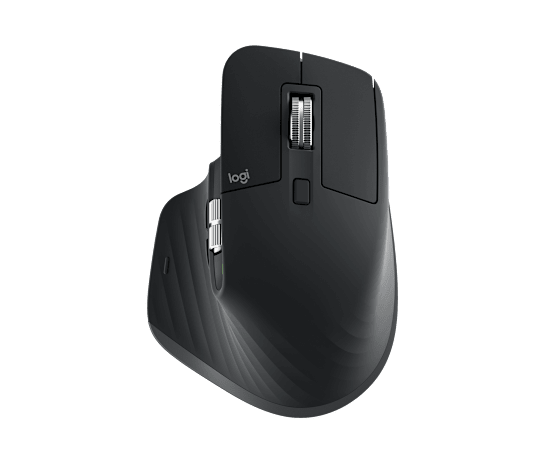
Wireless mice have all but eliminated the case for staying wired, but the two wireless standards behind them — proprietary 2.4GHz dongles and standard Bluetooth — are not interchangeable, and the gap between them is still wide enough in 2026 to matter for anyone doing precision work or competitive gaming. The Logitech MX Master 3S is a useful real-world case study here, since it's one of the few mice that ships with both connection types built in and lets you switch between them on the same hardware: a Logi Bolt USB receiver for 2.4GHz, and Bluetooth LE for pairing directly to a laptop or tablet without a dongle.
What "latency" actually means for a mouse
Latency, in this context, is the delay between physically moving the mouse and that movement showing up as cursor motion on screen. It's a function of two things: polling rate (how many times per second the mouse reports its position to the computer) and the wireless protocol's own transmission overhead. A mouse polling at 1000Hz reports its position every millisecond, but that number is meaningless if the wireless link carrying that data introduces its own delay or jitter on top of it. This is exactly where 2.4GHz and Bluetooth diverge — the polling rate a mouse advertises and the effective, real-world latency you feel are two different numbers, and the wireless protocol underneath determines how close those two numbers actually end up being.
Why 2.4GHz dongles are still faster
Proprietary 2.4GHz protocols — Logitech's Lightspeed and Logi Bolt, Razer's HyperSpeed, and similar systems from other brands — are purpose-built for input devices and prioritize low, consistent latency above almost everything else. They typically support polling rates up to 1000Hz (and increasingly higher on gaming-focused mice) and use frequency-hopping and dedicated bandwidth allocation to avoid interference from other wireless devices. Because the protocol exists for exactly one job, manufacturers can optimize the entire stack — radio, receiver, and firmware — around minimizing the time between a physical movement and its arrival at the operating system, typically landing in the same latency range as a wired connection, or close enough that most users can't tell the difference in a blind test.
Why Bluetooth still lags behind
Bluetooth, by contrast, is a general-purpose wireless standard designed to handle everything from headphones to keyboards to fitness trackers over a shared set of protocols, and that generality comes at a real cost for input latency. Bluetooth's connection intervals and power-management behavior — designed to conserve battery and coexist with many other Bluetooth devices — mean its effective polling rate is typically capped well below what a dedicated 2.4GHz dongle can sustain, often in the 125Hz range for standard Bluetooth mice regardless of what the sensor itself is technically capable of. Bluetooth 5.0 and later revisions have narrowed this gap somewhat, and Bluetooth LE (Low Energy) trades some throughput for more consistent timing, but even in 2026, a purpose-built 2.4GHz connection still edges out Bluetooth in both raw latency and jitter consistency for the vast majority of wireless mice on the market.
Where the difference actually matters
For competitive gaming — especially fast-paced shooters and any genre where sub-frame timing differences are perceptible — the latency gap between 2.4GHz and Bluetooth is worth taking seriously, which is why virtually every gaming mouse marketed with wireless as a headline feature ships with a proprietary 2.4GHz dongle as the primary connection method, reserving Bluetooth (if offered at all) as a battery-saving secondary option. For general productivity work — spreadsheet navigation, browsing, document editing, even most creative software — the latency difference is small enough that it rarely affects the actual task, which is exactly why productivity-focused mice like the MX Master 3S lean on Bluetooth's convenience (no dongle to lose, easy multi-device pairing) as a legitimate primary connection method rather than a compromise.
Battery life trade-offs
The latency advantage of 2.4GHz isn't free. Maintaining a fast, low-latency polling rate over a dedicated radio link draws more power than Bluetooth's conservative connection intervals, which is part of why 2.4GHz gaming mice often post shorter battery life figures than Bluetooth-only productivity mice at equivalent battery capacities. The MX Master 3S's up to 70 days of battery life is achievable specifically because it can lean on Bluetooth LE's low-power connection model for everyday use; a mouse holding a 1000Hz 2.4GHz connection continuously would drain a similarly sized battery dramatically faster. This is why dual-mode mice increasingly let you choose the connection type based on the task — 2.4GHz when responsiveness matters most, Bluetooth when battery longevity and multi-device convenience matter more.
Multi-device switching
One place Bluetooth has a genuine, durable advantage is multi-device pairing. Most 2.4GHz dongles only talk to one receiver at a time, which means switching a single mouse between a desktop and a laptop means physically moving the dongle. Bluetooth mice, including the MX Master 3S, can pair with multiple devices simultaneously and switch between them with a button press or software shortcut, no dongle required — a meaningful convenience for anyone working across more than one computer, even if it comes with the latency trade-off described above. It's also the only realistic wireless option for connecting a mouse to devices with limited or no USB-A ports, like many modern tablets and slim laptops, where a dongle simply doesn't fit the hardware you're pairing with.
What to actually buy
If competitive gaming or any latency-sensitive precision task is the primary use case, a 2.4GHz-first mouse remains the correct choice in 2026, and it isn't particularly close. If the mouse is mostly for productivity, multi-device switching, and all-day battery life, Bluetooth's convenience is a legitimate trade worth making, and the latency difference will rarely be something you consciously notice. For a deeper look at how sensor specs, DPI, and polling rate interact with wireless connection type, see our mouse sensor and polling rate guide, and if you're weighing a wireless purchase against a wired mouse like the Razer DeathAdder V3 — which sidesteps this entire debate by staying wired and effectively latency-free — our productivity vs. gaming mouse guide covers that trade-off too.
Firmware and driver software's role
The wireless protocol is only half of the latency picture — the software stack translating raw sensor data into cursor movement matters just as much. Manufacturer software like Logitech's Logi Options+ or Razer's Synapse handles polling rate configuration, DPI stage switching, and button remapping, and a poorly optimized driver can introduce input lag that has nothing to do with the wireless connection itself. This is part of why identical sensor and wireless hardware can feel meaningfully different between brands: the radio link sets the theoretical latency floor, but the firmware and driver stack determines how close a given mouse actually gets to it in daily use. Keeping manufacturer software and firmware updated is a genuinely useful, often-overlooked step for anyone chasing the lowest possible latency from a wireless setup, regardless of which connection type they've chosen.