Headset Buying Guide: Wired vs. Wireless for Calls and Gaming
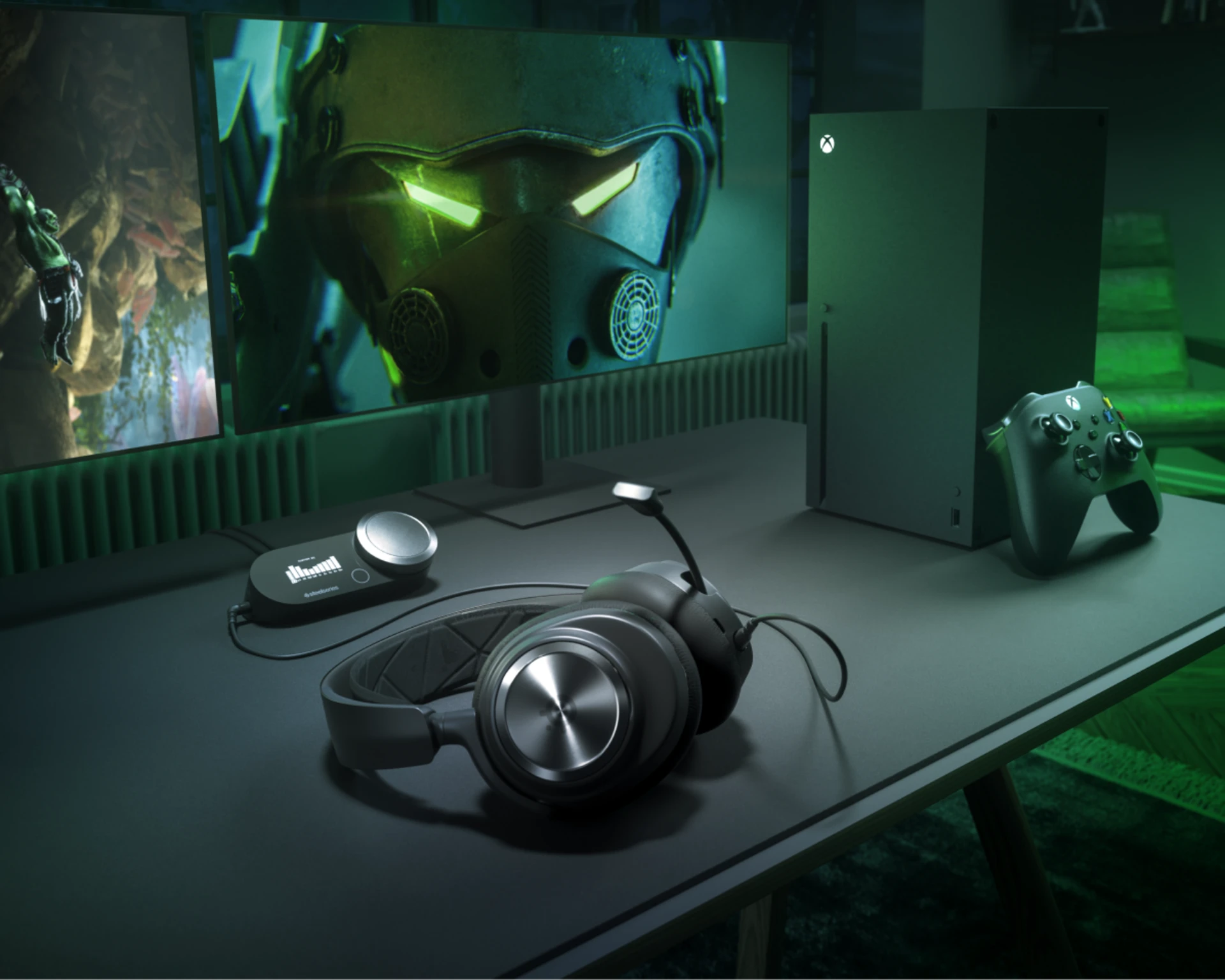
A headset is one of the few desk peripherals that has to serve two completely different jobs well: sounding clear and natural on a work video call, and delivering the positional detail and comfort a long gaming session demands. Very few people actually own separate headsets for each use case, so this guide focuses on what matters when you're buying one device to cover both — and where the trade-offs actually show up in daily use rather than on a spec sheet.
Wired vs. wireless: the real trade-off in 2026
Wireless gaming headsets have closed most of the latency gap that used to make wired the only serious option for competitive play, and for calls, latency was never really the issue — cable clutter and having to unplug and re-plug between your desktop and a laptop were. The genuine trade-off left in 2026 is battery management and charging discipline: a wireless headset needs to actually be charged when you need it, and if you're prone to forgetting, a wired option removes that variable entirely. The SteelSeries Arctis Nova Pro Wireless largely solves this with a hot-swappable dual-battery system — one battery charges in the base station dock while the other is in use, so you never actually run out mid-session as long as you swap when you notice the low-battery warning.
Active noise cancellation: genuinely useful, or overkill for a desk?
ANC gets marketed heavily on premium headsets, and for a desk environment specifically, its value depends entirely on your surroundings. In a quiet home office, ANC does relatively little you'd notice. In a shared space, an open-plan office, or a household with other people making noise nearby, it meaningfully reduces the mental fatigue of tuning out background sound during long calls or focused work. The Arctis Nova Pro Wireless includes genuinely effective ANC as part of its premium positioning, which is one of the clearer justifications for its higher price over a comparable wireless headset without it.
The budget-conscious wireless option
Not everyone needs — or should pay for — a flagship headset with a hot-swap dock and ANC. The HyperX Cloud II Wireless has stayed a genuinely strong recommendation for years by nailing the fundamentals: comfortable memory foam ear cushions for multi-hour sessions, a battery that comfortably covers a full workday without a midday charge, and clean 2.4GHz wireless audio without the premium price tag of the very top tier. If your use case is solid comfort and reliable wireless audio without needing spatial audio processing or a swappable battery system, it remains one of the more sensible wireless headset purchases in this price range.
Microphone quality matters more than most buyers expect
It's easy to focus entirely on how a headset sounds to you and forget that on a work call, your microphone is doing at least half the job — and the person on the other end judges call quality by how you sound to them, not by your driver specs. A boom mic with reliable background-noise reduction genuinely changes how professional you sound on a video call, particularly if you work from a home office with any ambient noise — a dog, a dishwasher, a partner also on calls in the next room. Both headsets covered here include boom mics designed with voice clarity as a priority rather than an afterthought bolted onto a gaming-focused design, which matters more for daily home-office use than most buyers realize until they hear their own call recordings.
Spatial and surround audio: useful for gaming, mostly irrelevant for calls
Premium headsets increasingly market some form of virtual surround or spatial audio processing, and it's worth being clear about where that actually helps. For gaming, directional audio cues — footsteps, gunfire location — are a genuine competitive advantage in the right titles. For video calls and general desk use, it does essentially nothing, since call audio is mono or basic stereo regardless of how sophisticated your headset's spatial processing is. Don't let spatial audio marketing be the deciding factor if calls make up the majority of your actual headset use.
Comfort for long sessions is the most underrated spec
Headset comfort — clamping force, ear cushion material, and total weight — matters more to daily satisfaction than almost any audio spec, because a headset that's uncomfortable after two hours gets taken off — at which point none of its other qualities matter. Memory foam cushions with breathable fabric or protein leather covers tend to run cooler over long sessions than pure pleather, which can trap heat during a multi-hour workday. If you can, prioritize trying a headset on or reading detailed comfort feedback over chasing marginal audio spec improvements that are difficult to perceive in blind listening tests anyway.
Building the rest of the audio-and-call setup
A headset doesn't operate in isolation on a modern desk. If your video calls also depend on how you look on camera, pairing a good headset with a capable webcam closes the loop on call quality from both the audio and video side — a common mistake is upgrading one and neglecting the other, when both are what a call participant actually experiences. And if your headset is one of several USB peripherals competing for ports on a laptop, working out your broader desk setup — docking station, monitor, cable routing — pays off more than any single component upgrade in isolation.
Driver size and audio quality: what the numbers actually tell you
Marketing copy loves to lead with driver size in millimeters, but a bigger driver doesn't automatically mean better sound — tuning, enclosure design, and the DAC or amplifier driving the signal matter at least as much. What's more useful in practice is whether a headset has a flat-ish, accurate default tuning versus an artificially boosted bass response designed to impress in a five-minute store demo but fatigue your ears over a full workday. For calls specifically, accurate mid-range reproduction (where human voice frequencies sit) matters far more than bass extension, which is one more reason a headset tuned primarily for music or bass-heavy gaming isn't automatically the best choice for a desk that's mostly video calls with some gaming mixed in.
Multi-device switching is a bigger deal than it sounds
If your desk setup involves switching between a work laptop and a personal desktop, or between a computer and a phone for calls, how easily a headset switches audio sources matters more day to day than almost any other convenience feature. Headsets that pair over both a USB wireless dongle and Bluetooth simultaneously let you take a phone call without removing the headset or fumbling with a settings menu, which sounds minor until you're doing it multiple times a day. This is worth checking specifically before buying if your workday regularly involves more than one audio source, since it's easy to overlook amid driver specs and ANC marketing.
Quick recommendation summary
Buying primarily for a mix of calls and casual-to-serious gaming with a budget that allows for it: the Arctis Nova Pro Wireless, for its hot-swap battery system, ANC, and premium mic. Buying primarily for comfortable daily wireless audio without needing the top-tier feature set: the HyperX Cloud II Wireless, which remains a genuinely strong value pick years after launch. Either way, prioritize microphone quality and long-session comfort over headline spatial-audio marketing if your headset spends more hours on work calls than in games.